Category: Newsletter Growth Hacks

  • How To Monetize Newsletter

    It feels like everywhere you look these days, someone is talking about starting a newsletter. Maybe you’ve even started one yourself. You put in the work, you share your passion, and you build this amazing community.

    But then a thought creeps in: can this actually make me money? It’s a common question, and honestly, a very smart one. Turning your passion project into something that can support you, or at least help cover your costs, is a big step.

    It’s not always straightforward, though. Many people struggle with finding the right ways to bring in cash without alienating their loyal readers. We’ll dive deep into how to make that happen.

    Monetizing a newsletter involves strategically integrating revenue-generating methods that align with your audience’s interests and your content’s value. Success comes from understanding your subscribers, offering them genuine value, and choosing monetization options that feel natural and helpful, rather than intrusive or salesy.

    Understanding the “Why” Behind Newsletter Monetization

    Think about why you started your newsletter in the first place. Was it to share your expertise? To connect with like-minded people?

    To build a platform for your ideas? Whatever the reason, it’s likely fueled by passion. Now, imagine that passion could also help pay your bills.

    That’s the core idea behind monetization. It’s not about selling out; it’s about sustainability. When your newsletter can generate income, you can dedicate more time and resources to it.

    You can create even better content, invest in tools that improve your reader experience, and generally grow your community. It allows your passion project to become a real, ongoing venture. This makes it possible to keep sharing what you love with the people who love it, for the long haul.

    It’s about creating a win-win for you and your readers.

    The Foundation: Knowing Your Audience

    Before you even think about making money, you have to know who you’re talking to. Who are your subscribers? What are their needs, their interests, their pain points?

    What do they wish they knew more about? Imagine you’re talking to a single person, your ideal reader. What would they be excited to buy or learn from?

    What problems do they need help solving? These questions are super important. When you understand your audience deeply, you can pick monetization methods that actually resonate with them.

    Trying to sell something they don’t need or care about will backfire. It’ll make them feel like you’re just trying to grab their cash. But if you offer something that genuinely helps them or entertains them, they’ll be much more receptive.

    It builds trust.

    Audience Insight Checklist

    • Demographics: Age, location, job, etc. (if you can gather it).
    • Interests: What topics do they engage with most?
    • Pain Points: What challenges do they face related to your niche?
    • Goals: What are they trying to achieve?
    • Spending Habits: Are they likely to buy products or services?

    Gathering this information isn’t always easy. You can look at your email analytics. See which links get clicked most.

    Pay attention to replies you get. You can even send out a simple survey asking direct questions. Tools like Google Forms or SurveyMonkey are great for this.

    The more you know, the better you can tailor your content and your offers. This is the bedrock of any successful monetization strategy.

    Monetization Strategies: Picking the Right Fit

    There are many ways to make money from your newsletter. No single method works for everyone. The best approach often mixes a few different strategies.

    It depends on your niche, your audience, and how much time and effort you can commit. We’ll explore some of the most popular and effective methods. Each has its own pros and cons, and its own ideal scenario.

    1. Premium Subscriptions (Paid Tiers)

    This is a very popular model. You offer a free newsletter with basic content. Then, you have a paid tier that gives subscribers access to more exclusive content.

    This could be deeper dives, bonus articles, Q&A sessions, or early access to things. Think of it like a magazine with free articles and then a premium subscription for full access. It works best when you can consistently deliver high-value content that people feel is worth paying for.

    Paid Tier Content Ideas

    • In-depth Guides: Longer, more detailed articles.
    • Exclusive Interviews: Chats with experts in your field.
    • Behind-the-Scenes: Your process or personal insights.
    • Community Access: A private forum or chat group.
    • Worksheets or Templates: Actionable tools for readers.

    Tools like Substack, Beehiiv, or Ghost make setting up paid subscriptions quite simple. You can offer monthly or yearly plans. The key is to clearly show the value of the paid tier.

    Make sure the free content is still good enough to attract subscribers, but the paid content is compelling enough to convert them.

    2. Sponsorships and Advertising

    This is a more traditional advertising model. Brands pay you to promote their product or service to your audience. This could be through dedicated mentions, sponsored articles, or banner ads.

    To make this work, you need a decent-sized, engaged audience. Sponsors want to know their message will reach relevant people who are likely to act. You’ll need to be upfront about your audience size and engagement rates.

    Sponsorship Options

    • Dedicated Emails: A whole email sent just for the sponsor.
    • Sponsored Mentions: A paragraph or section within your regular newsletter.
    • Banner Ads: Small ads usually at the top or bottom.
    • Affiliate Marketing: Promoting products and earning a commission on sales (discussed next).

    It’s crucial to only work with brands that align with your values and your audience’s interests. Promoting a product you don’t believe in will erode trust quickly. Transparency is also key; always let your readers know when content is sponsored.

    Many newsletters start with sponsorships once they reach a few thousand engaged subscribers.

    3. Affiliate Marketing

    This is where you recommend products or services. You include a special link. If a reader clicks that link and makes a purchase, you earn a commission.

    This is a great option because you’re recommending things you genuinely use and love. It feels less like advertising and more like sharing a helpful tip. Amazon Associates is a common starting point for many.

    Affiliate Success Tips

    • Recommend What You Use: Authenticity is key.
    • Only Partner with Quality Products: Protect your reputation.
    • Disclose Clearly: Let readers know it’s an affiliate link.
    • Integrate Naturally: Weave recommendations into your content.

    The beauty of affiliate marketing is that you don’t need to create your own product. You leverage existing products and services that your audience might find valuable. Again, honesty is the best policy.

    Always tell your readers that you might earn a commission. Most readers understand and appreciate honest recommendations.

    4. Selling Your Own Products or Services

    This is often the most lucrative method. If you have something to sell – a course, an ebook, a digital tool, coaching services, physical products – your newsletter is the perfect place to promote it. You’ve already built a warm audience that trusts you.

    They’re more likely to buy from you than a stranger.

    Product/Service Ideas for Newsletters

    • Ebooks & Guides: Compile your best content or create new material.
    • Online Courses: Teach a skill your audience wants to learn.
    • Workshops/Webinars: Live training sessions.
    • Consulting/Coaching: Offer your expertise one-on-one.
    • Physical Products: Merchandise, books, or niche items.

    You can announce new product launches to your list, offer exclusive discounts to subscribers, or simply remind people about your offerings regularly. This method requires you to have a product or service first, of course. But if you do, your newsletter becomes your most powerful marketing channel.

    It’s a direct line to your most engaged fans.

    Building Trust and Delivering Value First

    Let’s be honest. Nobody wants to feel like they’re just a walking dollar sign. Before you can successfully monetize your newsletter, you have to earn and keep your readers’ trust.

    This means delivering consistent, high-quality content that they actually want to read. Think about what makes your newsletter special. What unique perspective do you offer?

    What problems do you solve for them?

    I remember starting my first blog many years ago. I was so excited about the topic. I wrote long, detailed posts.

    I thought I was sharing everything I knew. But my comments section was quiet. My email list barely grew.

    I felt like I was shouting into the void. Then, I started talking to my readers. I asked them what they struggled with.

    I looked at what they searched for on my site. Suddenly, I realized I was talking at them, not with them. I was sharing what I thought was important, not what they needed.

    That was a huge shift. When I started focusing on their problems and their questions, my engagement shot up. My list grew faster.

    And when I eventually introduced a small product, people were already interested because they felt I understood them.

    This applies directly to newsletters. If your free content is amazing, people will be excited to see what else you offer. If you’re constantly trying to sell them something they don’t care about, they’ll tune out.

    Or worse, they’ll unsubscribe. Value should always come first. Think of it as building a relationship.

    You’re giving gifts (your free content) to build trust and show your generosity. Then, when you offer something for sale, it’s like offering a special favor to a friend who already knows and likes you.

    Value-First Newsletter Habits

    • Consistency: Send emails on a regular schedule.
    • Relevance: Keep content focused on your niche.
    • Clarity: Make your writing easy to understand.
    • Actionability: Give readers something they can do.
    • Engagement: Encourage replies and feedback.

    This approach also helps you avoid the dreaded “AI detection” concerns. Human connection and genuine experience shine through when you’re focused on serving your readers. It’s about authenticity.

    What are your real thoughts? What are your real experiences? Sharing those human elements makes your newsletter stand out from generic content.

    Choosing the Right Platform for Your Newsletter

    The tools you use can make a big difference in how smoothly you can monetize. There are many newsletter platforms out there. Some are designed specifically for creators and offer built-in monetization features.

    Others are more basic email marketing tools. For monetization, you’ll want a platform that supports paid subscriptions, integrates with e-commerce tools, or allows for easy ad placement. Here are a few popular ones and what they’re good for:

    • Substack: Great for writers who want to offer paid subscriptions easily. They handle payments and hosting. It’s very writer-friendly.
    • Beehiiv: Offers a robust free tier and paid features. It’s good for growing newsletters with advanced analytics and segmentation. It also supports paid tiers and ads.
    • Ghost: An open-source option that gives you more control. It’s excellent for building a membership site and can be highly customized.
    • ConvertKit: A powerful email marketing tool popular with creators. It has strong automation and landing page features. It integrates well with e-commerce solutions for selling products.
    • Mailchimp: A well-known platform, good for beginners. It offers a free tier for smaller lists. Monetization features are more basic but can be expanded with integrations.

    When you’re starting out, a simpler platform might be best. As your newsletter grows and you implement more complex monetization strategies, you might need to switch. Look for platforms that offer good customer support and are easy to use.

    You don’t want to spend all your time fighting with your email software when you could be creating content.

    Setting Your Pricing (If Applicable)

    If you’re offering a paid subscription or selling a product, pricing is crucial. It needs to reflect the value you provide. Don’t underprice yourself, but also don’t price yourself out of the market.

    Research what others in your niche are charging. Consider your audience’s ability to pay. Start with a price that feels right, and be open to adjusting it later based on feedback and sales.

    A common strategy is to offer an annual discount to encourage longer commitments. This also provides you with more predictable income.

    Real-World Scenarios and User Behavior

    Let’s look at how different types of newsletters successfully monetize. Imagine Sarah, who writes a weekly newsletter about urban gardening. Her free newsletter offers tips on growing vegetables in small spaces.

    She has a very engaged audience of apartment dwellers. She notices many readers ask about specific tools and supplies. So, Sarah starts an affiliate marketing program.

    She partners with gardening supply companies. In her newsletter, she shares reviews of her favorite trowels, watering cans, and organic fertilizers, with affiliate links. She also creates a small ebook called “The Balcony Gardener’s Toolkit.” She promotes this ebook to her newsletter subscribers, offering them a special launch discount.

    Then there’s Mark, a financial advisor who shares free weekly market updates. His audience is looking for more in-depth financial planning advice. Mark starts a premium subscription.

    For a monthly fee, subscribers get access to his monthly webinars on retirement planning and investment strategies. They also get a monthly Q&A session where he answers specific subscriber questions. He clearly lays out the benefits of the paid tier on his website and within his free newsletter, making it easy for interested readers to upgrade.

    What about Emily, a graphic designer? She shares free design tips and resources. She builds a strong following.

    She then creates a set of premium design templates for social media. Her newsletter is the primary channel to announce these templates. She offers an early bird discount to her email list, driving sales directly from her subscribers.

    She also occasionally runs sponsored posts from companies that offer design software or tools she uses and trusts.

    Scenarios in Action

    • Niche Focus: Sarah’s gardening tips attract a specific audience.
    • Value Ladder: Free content leads to paid products/services.
    • Community Building: Paid tiers offer exclusive access.
    • Problem Solving: Monetization directly addresses reader needs.

    These examples show how understanding your audience and their needs is key. It’s not just about putting up a “buy now” button. It’s about weaving monetization into the fabric of your newsletter in a way that feels natural and helpful.

    People are more likely to spend money when they feel you understand them and are providing genuine solutions or valuable insights.

    What This Means for You: When is it Normal, When to Worry?

    It’s completely normal to want your newsletter to be sustainable. If you’re putting in the effort to create valuable content, it makes sense to explore ways to get rewarded for it. The key is how you monetize.

    It’s normal to:

    • Offer premium content to loyal subscribers.
    • Recommend products you genuinely use and love.
    • Sell your own products or services that help your audience.
    • Partner with brands that align with your content.

    You might start to worry if:

    • Your monetization efforts feel forced or spammy.
    • You see a significant drop in engagement or subscriptions after introducing monetization.
    • You’re constantly pushing sales pitches without providing value.
    • You feel like you’re compromising your integrity to make a sale.

    If your readers start complaining, or if your metrics (open rates, click-through rates, unsubscribe rates) take a nosedive, that’s a red flag. It means your current monetization strategy isn’t working well for your audience. You need to step back and re-evaluate.

    Are you being too aggressive? Is the value there? Are you transparent enough?

    Quick Monetization Health Check

    • Open Rates: Are they steady or declining?
    • Click-Through Rates: Are people clicking your links (both content and promotional)?
    • Unsubscribe Rate: Is it higher than usual?
    • Reader Feedback: What are people saying in replies or comments?

    The goal is to find a balance. You want to earn money, but you also want to keep your community happy and engaged. It’s a marathon, not a sprint.

    Building a sustainable income from your newsletter takes time and consistent effort to provide value.

    Quick Fixes & Tips for Smoother Monetization

    If you’re feeling stuck or your monetization efforts aren’t quite hitting the mark, here are a few quick tips:

    • Start Small: Don’t try to do everything at once. Pick one or two methods and do them well.
    • Be Transparent: Always disclose sponsored content or affiliate links. Honesty builds trust.
    • Segment Your List: If possible, send targeted offers to specific groups of subscribers who are most likely to be interested.
    • Test and Iterate: What works today might not work tomorrow. Keep trying new things and see what resonates.
    • Ask for Feedback: Directly ask your readers what they’d like to see or what they’d be willing to pay for.
    • Focus on Benefits, Not Just Features: When promoting something, explain how it will help your reader, not just what it is.
    • Make it Easy to Buy: Ensure your links work and your checkout process is smooth.

    It’s always about serving your audience first. When you do that, monetization often follows more naturally. Don’t be afraid to experiment.

    What works for one newsletter might not work for another. That’s okay. The journey of monetizing your newsletter is one of continuous learning and adaptation.

    Frequently Asked Questions About Newsletter Monetization

    How many subscribers do I need to start monetizing?

    There’s no magic number! Some people start affiliate marketing with just a few hundred engaged subscribers. For sponsorships, you might need a few thousand.

    Paid subscriptions can work even with smaller, highly dedicated audiences. Focus on engagement over sheer numbers, especially at first.

    What’s the difference between affiliate marketing and sponsorships?

    With affiliate marketing, you promote products and earn a commission if someone buys through your unique link. With sponsorships, a brand pays you a set fee to feature their product or service in your newsletter, regardless of sales performance.

    Should I offer both free and paid content?

    Yes, this is a common and effective strategy. The free content attracts new subscribers and keeps your existing ones engaged. The paid content offers exclusive value for those who want more.

    It’s a great way to build loyalty and offer different levels of engagement.

    How do I avoid sounding too salesy?

    Focus on providing value first. Weave your promotions naturally into your content. Be honest and transparent.

    Only promote products or services you truly believe in. Think of it as sharing a helpful recommendation with a friend, not pushing a hard sale.

    Can I monetize a newsletter about a niche topic?

    Absolutely! Niche newsletters can be incredibly effective for monetization because the audience is highly targeted. Brands often pay a premium to reach a specific, engaged audience.

    Your deep knowledge in a niche can also be a strong selling point for your own products or services.

    How often should I promote paid content or affiliate links?

    This varies greatly. A good rule of thumb is to maintain an 80/20 or 90/10 ratio of value-based content to promotional content. If you send one email a week, maybe one in every four or five emails could have a stronger promotional element, or you can include a small promotion within a value-packed email.

    Conclusion: Building a Sustainable Newsletter Business

    Monetizing your newsletter is a journey. It’s about more than just making money; it’s about building a sustainable channel for your ideas and connecting with your audience on a deeper level. By focusing on genuine value, understanding your readers, and choosing strategies that align with your unique voice, you can create a newsletter that not only thrives but also supports your creative endeavors for years to come.

  • Email Deliverability Guide

    Email deliverability is about making sure your emails actually reach your recipient’s inbox. It involves many factors, from your sender reputation to how your emails are written and sent. Improving it means more people see your messages.

    This builds trust and engagement.

    What is Email Deliverability?

    Email deliverability is a big topic. But it’s simple at its heart. It’s about how well your emails get into people’s inboxes.

    Think of it like sending a letter. You want it to go to the right house and be opened. Email is similar.

    There are gatekeepers. These are the email providers like Gmail, Outlook, and Yahoo. They decide if your email is wanted or not.

    These providers have complex rules. They check many things about your email. They look at who you are as a sender.

    They check the content of your email. They also watch how people interact with your emails. If they think your email is good, it lands in the inbox.

    If they think it’s bad, it goes to spam. Or it might not get delivered at all. It’s a constant back and forth.

    Providers want to protect their users from junk mail. You want to connect with your audience. So, you need to play by their rules.

    Why Email Deliverability Matters So Much

    Email is still a powerful tool. Many businesses rely on it. You might use it for marketing.

    You might use it for customer support. Or you might just use it to keep in touch with friends and family. When your emails don’t arrive, big problems happen.

    Your marketing efforts fail. Customers don’t get important updates. Your connections weaken.

    It’s a direct hit to your goals.

    A poor sender reputation means even more trouble. It’s like having a bad mark against your name. This mark makes it harder for future emails to get through.

    You might not even know it’s happening. People just stop getting your messages. They don’t know why.

    They might think you stopped emailing them. This can hurt your relationships and your business. Getting deliverability right is key to being heard.

    The Journey of an Email: From Send to Inbox

    Let’s trace the path of an email. It’s more complex than you might think. When you hit send, your email starts a journey.

    First, it leaves your email server. Then, it travels across the internet. It reaches the servers of the recipient’s email provider.

    This is the big test. The provider’s systems scan your email. They check a lot of things.

    They look at your IP address. Is it known for sending spam? They look at your domain name.

    Is it set up correctly? They check the email itself. Does it have spammy words?

    Are there too many links? How many people mark it as spam? How many people open it?

    How many click on links? All this data helps them decide. It’s a scoring system.

    High score means inbox. Low score means spam or blocked. This whole process is called the email authentication and validation.

    Understanding Sender Reputation: Your Digital ID

    Your sender reputation is like your credit score for email. It’s a number that email providers use. This number tells them how trustworthy you are.

    A good reputation means your emails are likely to land in the inbox. A bad reputation means they’ll probably go to spam. Or they might be blocked entirely.

    What builds this reputation? Several things. The main one is how recipients react to your emails.

    Do they open them? Do they click links? Do they reply?

    These are good signs. Do they mark your emails as spam? This is a very bad sign.

    Do they unsubscribe? This is okay. It’s better than spamming.

    How many emails you send is also a factor. Sending huge batches at once can look suspicious. The history of your IP address and domain name matters too.

    Have they sent spam before?

    Key Factors in Sender Reputation

    IP Address Reputation: Is your server’s IP address clean? Has it sent spam before?

    Domain Reputation: Is your domain name trusted? Is it set up correctly?

    Engagement Rates: How many people open, click, and reply to your emails?

    Spam Complaints: How often do users mark your emails as spam?

    Bounce Rates: How many emails fail to deliver (hard bounces)?

    Unsubscribe Rates: How many people choose to opt out?

    Common Pitfalls That Hurt Deliverability

    Many mistakes can sink your sender reputation. Knowing these pitfalls helps you avoid them. One common error is sending to people who didn’t ask for your emails.

    This is called uninvited email. It’s a fast way to get marked as spam. Another issue is buying email lists.

    These lists are full of bad email addresses. They often contain spam traps. They lead to high bounce rates and spam complaints.

    Sending emails that look like spam is also a problem. Using all caps in the subject line is bad. Using too many exclamation points is also bad.

    Certain words trigger spam filters. Things like “free money” or “urgent.” Poorly formatted emails can also cause issues. If your email is hard to read, people might delete it.

    Or worse, mark it as spam. Finally, not cleaning your email list regularly is a mistake. Old, invalid addresses hurt your deliverability.

    Top Deliverability Killers

    • Sending to uninvited recipients.
    • Using purchased or rented email lists.
    • Using spam trigger words in subject lines or body.
    • Excessive use of capitalization or punctuation.
    • Poor email content quality or formatting.
    • Ignoring bounce messages and invalid addresses.
    • Lack of proper email authentication.

    Email Authentication: Building Trust with Servers

    Email authentication is crucial. It’s like showing your ID to the email server. It proves you are who you say you are.

    This stops spammers from faking your email address. There are three main types of authentication. They are SPF, DKIM, and DMARC.

    Setting these up is technical. But it’s vital for good deliverability.

    SPF stands for Sender Policy Framework. It tells servers which IP addresses are allowed to send email from your domain. DKIM stands for DomainKeys Identified Mail.

    It adds a digital signature to your emails. This signature proves the email hasn’t been tampered with. DMARC stands for Domain-based Message Authentication, Reporting & Conformance.

    It works with SPF and DKIM. It tells receiving servers what to do if an email fails authentication. It also provides reports on who is sending email from your domain.

    Quick Scan: Authentication Essentials

    Method What it Does Why it Helps
    SPF Authorizes sending IPs. Prevents spoofing.
    DKIM Adds a digital signature. Ensures message integrity.
    DMARC Policy for failures; reporting. Protects domain reputation.

    Content is King: Writing Emails That Get Opened

    Even with perfect authentication, bad content kills deliverability. Your email content must be valuable. It needs to be relevant to the recipient.

    If your emails are boring, people won’t open them. They might even mark them as spam. Always think about the reader first.

    What problem does your email solve? What value does it offer? Make your subject line clear and engaging.

    It should entice the reader to open the email. Avoid clickbait or misleading titles. The body of the email should be easy to read.

    Use short sentences and paragraphs. Break up text with bullet points. Include a clear call to action.

    Tell people what you want them to do next.

    Avoid spammy language. Words like “guarantee,” “winner,” or “risk-free” can be flagged. Too many images or large attachments can also be a problem.

    Some email clients might block images by default. Large attachments can make your email look suspicious. Ensure your email is mobile-friendly.

    Many people check email on their phones. A poorly formatted email on a small screen is annoying.

    List Hygiene: Keeping Your Audience Engaged

    A clean email list is a happy email list. This means removing inactive subscribers. It also means getting rid of invalid email addresses.

    If you keep sending to addresses that don’t exist, you’ll get hard bounces. Too many hard bounces damage your sender reputation. Email providers see this as a sign you’re not careful.

    How do you keep your list clean? Regularly run your list through a cleanup service. These services check for invalid emails.

    They also identify inactive subscribers. You can also use a re-engagement campaign. This is a series of emails sent to inactive subscribers.

    You ask them if they still want to hear from you. If they don’t respond, you remove them. It’s better to have a smaller list of engaged people.

    Than a large list of people who don’t care.

    Maintaining a Healthy Email List

    Regular Cleaning: Use tools to remove invalid or spam trap addresses.

    Identify Inactives: Track who hasn’t opened emails in months.

    Re-engagement Campaigns: Ask inactive subscribers to opt-in again.

    Double Opt-in: Ensure subscribers confirm their email address after signing up.

    Easy Unsubscribe: Make it simple for people to leave your list.

    Understanding Bounce Rates: The Bad News

    Bounce rates tell you how many emails couldn’t be delivered. There are two main types: soft bounces and hard bounces. Soft bounces are temporary issues.

    This could be a full inbox or a server problem. Your email provider might try to resend these later.

    Hard bounces are permanent. This means the email address is invalid. The domain doesn’t exist.

    Or the recipient’s server has blocked delivery. You must remove hard bounces immediately. A high hard bounce rate is a huge red flag for email providers.

    It suggests you’re not managing your list well. Or you’re using bad data.

    Bounce vs. Spam Complaint

    Bounce: The email address is invalid or unreachable. This is a technical failure.

    Spam Complaint: The recipient actively marked your email as junk. This is a user action.

    Both hurt your sender reputation, but spam complaints are often seen as worse.

    The Role of Email Service Providers (ESPs)

    Most people don’t send emails directly from their personal accounts for business. They use Email Service Providers (ESPs). ESPs like Mailchimp, Constant Contact, or Sendinblue help manage lists.

    They also handle sending campaigns. ESPs have their own sender reputations.

    When you use an ESP, you’re sharing their IP addresses. If other users of the ESP have bad reputations, it can affect you. Good ESPs monitor their users.

    They often have tools to help you improve deliverability. They provide analytics. They help with authentication setup.

    They also guide you on best practices. Choosing a reputable ESP is important.

    Spam Traps: The Email Provider’s Net

    Spam traps are special email addresses. They are used by internet service providers and anti-spam groups. These addresses are not used by real people.

    They are set up to catch spammers. If your email goes to a spam trap, it’s very bad. It means your list is compromised.

    Or you’re sending to old, unused addresses.

    When an email hits a spam trap, the receiving server flags it. This can severely damage your sender reputation. It’s like stepping into a hidden trap.

    You might not even know you’ve done it. This is why list hygiene is so important. You need to ensure your subscribers have genuinely opted in.

    And that their addresses are still active and valid.

    Engagement Metrics: What They Really Mean

    Email providers watch how people interact with your emails. This is called engagement. Open rates are how many people open your email.

    Click-through rates (CTR) are how many click a link inside. Reply rates show how many people reply. Conversion rates show how many complete your desired action.

    High engagement tells providers your emails are valuable. People want to read them. They find them useful.

    Low engagement suggests the opposite. It might mean your content isn’t interesting. Or your audience isn’t the right fit.

    This can lead to emails going to spam. Focus on creating content that resonates. Encourage interaction.

    Understanding Engagement

    Open Rate: Percentage of recipients who opened your email.

    Click-Through Rate (CTR): Percentage who clicked a link after opening.

    Click-to-Open Rate (CTOR): Percentage of openers who clicked a link.

    Conversion Rate: Percentage who completed a desired action (e.g., purchase).

    Reply Rate: Percentage who replied to your email.

    Blacklists: The “Do Not Send” List

    Email blacklists are lists of IP addresses or domains. These are known spammers. If your IP or domain lands on a blacklist, your emails will likely be blocked.

    There are many different blacklists. Some are managed by major ISPs. Others are run by anti-spam organizations.

    Getting off a blacklist can be difficult. It depends on the list. Some lists remove you automatically after a period of good behavior.

    Others require you to contact them. You need to fix the problem that got you on the list. This usually involves cleaning your sending practices.

    And proving you’re no longer a spammer. Checking if you’re on a blacklist is a good idea.

    Real-World Scenarios: When Deliverability Fails

    I remember working with a small online shop. They had a great product. Their emails were well-designed.

    But their sales dipped. They couldn’t figure out why. Customers said they weren’t getting emails about promotions.

    We checked their sending logs. Their bounce rate was high. Many emails were going to spam.

    They were using an old list they had acquired years ago. They hadn’t cleaned it. They hadn’t set up SPF or DKIM properly.

    This is so common. People focus on creating great content. But they neglect the technical side.

    Or they don’t realize how important list health is. The fix involved a few steps. First, we ran their list through a cleaner.

    We removed thousands of invalid addresses. Then, we set up SPF, DKIM, and DMARC. We also started a re-engagement campaign.

    Slowly, their sender reputation improved. More emails went to the inbox. And their sales started to climb back up.

    It was a clear lesson: deliverability is not optional.

    Content Personalization: Making Your Emails Feel Special

    Generic emails often get ignored. Personalization makes your emails feel more relevant. It means using subscriber data.

    You can use their name. You can reference past purchases. Or their interests.

    This shows you know your audience.

    For example, instead of “Hi there,” use “Hi Sarah.” If someone recently bought a product, you can send follow-up tips for that product. Or suggest related items. Personalization boosts engagement.

    It makes people feel valued. This leads to more opens, clicks, and conversions. It also tells email providers that your emails are wanted.

    This improves your deliverability.

    Personalization Ideas

    Greeting: Use the subscriber’s first name.

    Behavioral Triggers: Send emails based on actions (e.g., abandoned cart).

    Interest-Based Content: Segment lists based on stated preferences.

    Past Purchases: Recommend related products or offer loyalty rewards.

    Location-Based Offers: Tailor content to a subscriber’s region.

    Compliance: Following the Rules (CAN-SPAM, GDPR)

    There are laws about sending emails. In the U.S., the CAN-SPAM Act sets the rules. In Europe, GDPR (General Data Protection Regulation) is important.

    These laws protect consumers. They give people control over their inboxes. You must follow these rules.

    CAN-SPAM requires you to include your physical address. It also demands a clear way to unsubscribe. You must honor unsubscribe requests quickly.

    You cannot use misleading subject lines. GDPR is even stricter. It requires explicit consent to send emails.

    You need to be transparent about data usage. Ignoring these laws can lead to fines. It also hurts your sender reputation.

    Compliance Checklist

    Clear Identification: State who you are.

    Physical Address: Include your valid postal address.

    Opt-Out Mechanism: Provide a clear unsubscribe link.

    Honoring Requests: Process unsubscribes promptly (within 10 days for CAN-SPAM).

    Consent: Get explicit permission before sending marketing emails (GDPR).

    Transparency: Be clear about how you use data.

    Testing Your Deliverability

    You can’t fix what you don’t measure. Testing your deliverability is key. There are tools that help with this.

    They can send your email to many different inboxes. Then, they report back. Did your email land in the inbox?

    Did it go to spam? Did it get blocked?

    These tools check your authentication. They look at your content. They also check blacklists.

    Using these tests regularly helps you find problems early. It’s like a regular check-up for your email sending. It ensures everything is working as it should.

    Some popular testing tools include GlockApps, Litmus, and Email on Acid.

    When to Worry: Red Flags for Deliverability

    Not all emails going to spam is a crisis. But there are red flags. A sudden drop in open rates is concerning.

    A spike in bounce rates is bad. A significant increase in spam complaints is a major warning. If your emails stop arriving for some recipients, that’s a problem.

    If your ESP contacts you about deliverability issues, take it seriously. If you are consistently landing in spam folders, it’s time to act. Don’t ignore these signs.

    The sooner you address them, the easier they are to fix. Proactive monitoring is better than reactive damage control.

    Tips for Improving Your Email Deliverability

    Improving deliverability is an ongoing effort. It’s not a one-time fix. But there are simple steps you can take.

    Focus on building a good sender reputation from day one. Use clean, opt-in lists only. Authenticate your domain properly.

    Write valuable, engaging content. Monitor your bounce rates and spam complaints. Clean your list regularly.

    And test your emails before sending large campaigns.

    Encourage your subscribers to add you to their contacts. This signals to email providers that you are a wanted sender. Make sure your unsubscribe process is easy.

    This reduces the chance of spam complaints. Segment your lists. Send targeted messages.

    Personalize your emails. These steps all contribute to a healthier sender reputation. And better inbox placement.

    Actionable Steps for Better Deliverability

    Build Your List Organically: Never buy or rent lists.

    Implement Authentication: Set up SPF, DKIM, and DMARC.

    Segment Your Audience: Send relevant content to specific groups.

    Monitor Performance: Track opens, clicks, bounces, and complaints.

    Clean Your List Often: Remove inactive or invalid addresses.

    Test Before Sending: Use deliverability tools to check your emails.

    Engage Your Subscribers: Create content that people want to read.

    What This Means For You Right Now

    If you’re sending emails, deliverability is on your mind. It’s a hidden hurdle. But it’s not impossible to overcome.

    The core idea is to be a good email citizen. Respect your recipients. Provide value.

    Follow the rules. And be technically sound.

    Start by looking at your current practices. Are you getting unsolicited complaints? Are your emails often missed?

    If so, start with list hygiene. Then move to authentication. Content is always important too.

    Think about how your audience receives your messages. Small changes can make a big difference. Don’t get discouraged.

    It’s a journey of continuous improvement.

    Frequently Asked Questions About Email Deliverability

    What’s the difference between inbox placement and deliverability?

    Deliverability is the overall ability of your emails to reach the recipient’s mail server. Inbox placement is a specific part of deliverability. It refers to whether your email lands in the primary inbox, a different folder (like Promotions), or the spam folder.

    How long does it take to improve my sender reputation?

    Improving sender reputation takes time and consistent good practices. It can take several weeks to a few months to see significant improvement. Email providers watch your sending behavior over time.

    Should I use a shared IP address or a dedicated IP address?

    For beginners or those sending a moderate volume, a shared IP with a reputable ESP is often fine. A dedicated IP gives you more control but requires careful management to avoid issues. If other users on a shared IP cause problems, it can impact you.

    A dedicated IP means your reputation is solely your own.

    Can I send emails directly from my personal Gmail or Outlook account for business?

    While you can send a few personal emails, it’s not recommended for business or marketing campaigns. These accounts have strict sending limits. They are not set up for mass sending.

    Your reputation can be easily damaged. Using a dedicated ESP is the professional approach.

    What is a spam trap and how do I avoid them?

    A spam trap is an email address created to catch spammers. They are usually inactive addresses or addresses that have never been used. To avoid them, only send to people who have explicitly opted in.

    Keep your lists clean and remove hard bounces and inactive subscribers promptly.

    How do I know if my emails are going to spam?

    You can use email testing tools that send your email to various inboxes and report on placement. Also, monitor your email service provider’s reports for low open rates or high spam complaint numbers. Direct feedback from recipients is also a sign.

    Final Thoughts on Getting Your Emails Heard

    Email deliverability is a complex, but vital, part of online communication. By understanding how email providers work, focusing on sender reputation, and practicing good list hygiene, you can significantly improve your chances of reaching your audience’s inbox. It requires patience and consistent effort, but the reward of genuine connection is worth it.

  • Best Time To Send Newsletter

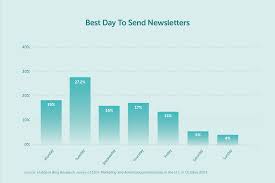
    The best time to send a newsletter often depends on your specific audience’s habits and time zones. However, general best practices suggest mid-week mornings (Tuesday, Wednesday, Thursday) are prime times. Analyzing your own subscriber data is key for pinpointing your ideal send schedule. Focusing on delivering value consistently is more important than the exact minute you send.

    Understanding When Your Audience Is Ready

    Think about your own inbox. When do you tend to check emails more closely? For most people, it’s during the workday.

    They might glance at their phone first thing. But then they get busy. Lunchtime offers a quick check.

    After work, they might be tired or focused on family.

    So, the sweet spot for newsletters is often when people are settling into their day or taking a short break. This gives them a chance to see your email and actually read it. It’s not about shouting into the void.

    It’s about finding a quiet moment for your message.

    Why Mid-Week Mornings Often Win

    Let’s break down why Tuesday, Wednesday, and Thursday mornings tend to work well. Monday is often a catch-up day. People are dealing with emails from the weekend and planning their week.

    They might not have time for an extra newsletter.

    Friday can be tricky too. People are winding down. They might be thinking about the weekend.

    They could be less focused on work-related emails or newsletters. This leaves the middle of the week as a solid choice. People are in their work routine.

    They are more likely to engage.

    Morning hours are also popular. Many people start their day by checking emails. This means your newsletter could be one of the first things they see.

    It gets your message in front of them early. It has a better chance of not getting lost.

    The Weekly Rhythm of Email

    Monday: Start of the week. People often play catch-up. Less engagement expected.

    Tuesday: Routine sets in. People are focused. Good time for emails.

    Wednesday: Mid-week. Still in the groove. High engagement potential.

    Thursday: Nearing the end of the week. Engagement can still be strong.

    Friday: Winding down. Weekend thoughts. Engagement might dip.

    Weekend: Varies greatly. Some people check. Others disconnect.

    I remember sending out a client’s newsletter on a Friday afternoon once. We usually sent it mid-week. The open rates were noticeably lower.

    It was a clear sign that people weren’t as receptive then. It felt like a wasted effort for the team.

    That experience taught me that even small shifts in timing can make a big difference. It’s not just about what’s in the email. It’s also about when it arrives in their inbox.

    Finding that right moment is part of the strategy.

    Considering Your Audience’s Time Zones

    This is where things get a little more complex, but it’s super important. If your audience is spread across different time zones, sending at “mid-morning” in your own time zone might mean it lands in the middle of the night for someone else.

    Imagine someone in California receiving your email at 9 AM Eastern Time. That’s 6 AM Pacific Time! They might still be asleep or just waking up.

    They might not see it until much later, when it’s already buried.

    You need to think about where your subscribers actually are. A good tool to use here is your email marketing platform. Most platforms can show you a breakdown of your subscriber locations.

    You can often see which time zones have the most people.

    Audience Time Zone Check

    Step 1: Log into your email service provider.

    Step 2: Look for subscriber location data.

    Step 3: Identify your largest subscriber groups by time zone.

    Step 4: Aim to send when it’s morning or early afternoon for them.

    For instance, if you have a large group in the Pacific Time Zone and another in the Eastern Time Zone, you might have to choose. You could send twice. Or you could pick a time that’s a decent compromise for both.

    For example, 11 AM Eastern is 8 AM Pacific. That’s early for Pacific but still within waking hours.

    I had a friend who ran an online course. Her students were all over the U.S. and even some in Europe.

    She struggled with sending announcements. What worked best for her was a bit of testing. She sent at different times to different segments of her list.

    She found that a late morning send for the U.S. worked best overall. It was still early enough for the West Coast but not too late for the East Coast.

    It’s a balance. You can’t please everyone with a single send time. But you can aim for the largest group or the time that seems to get the most engagement across the board.

    It requires a bit of detective work.

    Analyzing Your Own Data is Key

    While general advice is helpful, your own subscribers are unique. They have their own routines and habits. The absolute best way to find your optimal send time is to look at your past email performance.

    Most email marketing services offer robust analytics. You can see metrics like open rates, click-through rates, and unsubscribe rates for each campaign. Often, you can even see these metrics broken down by send time.

    Look for patterns. Did a newsletter sent on a Tuesday at 10 AM get a better response than one sent on a Wednesday at 2 PM? Note these down.

    Over time, a clear picture will emerge.

    Your Data Tells All

    Metric to Watch: Open Rate

    This shows how many people opened your email. Higher is better.

    Metric to Watch: Click-Through Rate (CTR)

    This shows how many openers clicked a link. Shows engagement.

    Metric to Watch: Conversion Rate

    Did the click lead to a desired action? (e.g., purchase)

    How to Analyze:

    1. Go to your email platform’s analytics.

    2. Filter by campaign date and time.

    3. Compare performance across different send times.

    I recall working with a small business that sold handmade crafts. Their audience was mostly women, many of whom were stay-at-home moms or worked flexible schedules. They initially sent emails mid-week, mid-morning.

    The results were okay, but not amazing. When they started experimenting, they found that sending on Wednesday evenings, after kids were in bed, actually performed better!

    This completely flipped the common advice. But for their specific audience, it made perfect sense. They weren’t glued to their inboxes during the day.

    They had more quiet time later. Their data showed it clearly.

    This is why relying solely on generic advice can be a mistake. Your audience might be early birds, night owls, or somewhere in between. Their daily routines dictate when they are most receptive.

    Your analytics are your best guide to understanding them.

    Experimentation: The Secret Sauce

    Once you have an idea of what might work based on general advice and your audience’s demographics, it’s time to test. Don’t just guess and stick with it. Actively experiment.

    Here’s a simple way to do it. For your next few newsletters, try sending them at slightly different times or days. Keep everything else the same: the subject line, the content, the audience segment.

    The only variable is the send time.

    For example:

    • Newsletter 1: Tuesday at 9 AM
    • Newsletter 2: Wednesday at 10 AM
    • Newsletter 3: Thursday at 11 AM

    Then, track the results carefully. Which one got more opens? Which one got more clicks?

    After a few tests, you’ll start to see a trend. This data will be more valuable than any blog post or tip you read.

    It’s like a scientist running an experiment. You change one thing and observe the outcome. Your email list is your laboratory.

    Your analytics are your results.

    A/B Testing Your Send Time

    What is A/B Testing?

    Sending two versions of your email (A and B) to different segments of your list to see which performs better. For send time testing, version A might be sent Tuesday 9 AM, and version B on Wednesday 10 AM.

    How to Implement:

    1. Choose two potential send times.

    2. Split your list in half (ensure it’s random).

    3. Send Version A to List 1 at Time 1.

    4. Send Version B to List 2 at Time 2.

    5. Compare open and click rates.

    I’ve seen businesses get great results by simply trying out weekend sends. Not everyone wants to read newsletters during the busy week. Some might prefer to catch up on a Saturday morning with a cup of coffee.

    It’s about knowing your people.

    Don’t be afraid to break the rules, but do it based on data. If general advice says Tuesday morning, but your data screams Saturday afternoon, trust your data. It’s tailored to your audience.

    What About Weekends?

    Weekends are often seen as a no-go zone for email marketing. The thinking is that people are off work and relaxing. They don’t want to be bothered by emails.

    However, this isn’t always true. Some audiences are more engaged on weekends. Think about people who work retail or hospitality, where weekends are their busiest workdays.

    They might have more downtime during the week or in the evenings.

    For some hobbyist groups, weekends are when they have the most time to pursue their interests. They might be more receptive to content related to those hobbies.

    Here’s the catch: weekend engagement can be more variable. Saturday morning might work, but Saturday afternoon might not. Sunday evenings could be a good time as people prepare for the week ahead.

    Weekend Email Considerations

    Pros:

    Less inbox competition from work emails.

    Subscribers may have more leisure time.

    Cons:

    Engagement can be lower for some demographics.

    People might be out or busy with social activities.

    Test Cases:

    Saturday morning (early).

    Sunday evening (before the work week starts).

    I saw one example where a travel company found their best engagement on Saturdays. People were planning their getaways for the upcoming weeks. Their weekend travel deals or inspiration newsletters did very well.

    It wasn’t a surprise once they looked at their customer base. Many of their customers were planning trips during their downtime.

    If you’re considering a weekend send, treat it like any other experiment. Send one out and see how it performs compared to your mid-week sends. Don’t assume it will fail.

    Let the data guide you.

    Industry and Audience Type Matter

    The nature of your business and the type of audience you serve play a huge role. What works for a B2B software company will likely be very different from what works for a fashion blog or a parenting group.

    B2B (Business-to-Business): Typically, weekdays during business hours are best. People are at their desks, checking emails for work. Early to mid-week mornings are often the sweet spot.

    Avoid sending on weekends or late Friday afternoons.

    B2C (Business-to-Consumer): This is more varied. Consider your customer’s lifestyle. Retail/E-commerce: Mid-week mornings, lunch breaks, and sometimes evenings can work.

    People shop at various times. Lifestyle/Hobby Blogs: Weekends or evenings might be good when people have leisure time. Parenting/Family-focused: Early mornings or late evenings when kids are asleep might be best.

    Students: Mid-day breaks or evenings.

    Industry Snapshot: Send Time Guides

    Industry: B2B Software

    Best Bets: Tuesday–Thursday, 9 AM–11 AM (Recipient’s Time Zone)

    Reason: Business focus, planning, decision-making.


    Industry: E-commerce (Fashion)

    Best Bets: Wednesday–Thursday, 10 AM–2 PM, or Tuesday Evening

    Reason: Shopping during breaks or after work.


    Industry: Parenting Blog

    Best Bets: Monday–Wednesday Evenings, 7 PM–9 PM

    Reason: Quiet time after family duties.

    I worked with a tech newsletter that targeted IT professionals. They found that sending at 7 AM Eastern Time consistently brought in the highest open rates. This was because many of these professionals started their day very early, checking systems and emails before the typical 9-to-5 rush.

    Their data was very specific and showed this early bird trend.

    The key is to always think about your specific audience. Who are they? What do they do?

    When are they most likely to have a moment to read an email? Put yourself in their shoes.

    Timing Your Newsletter Content

    Beyond the actual send time, consider the timing of the content itself. Does it relate to a holiday? A current event?

    A season?

    If you’re sending out holiday gift guides, you need to send them well in advance. People start planning and shopping early. Sending a Christmas gift guide on December 20th is likely too late.

    Similarly, if you’re discussing a seasonal topic, like gardening tips, you want to send that out when people are thinking about gardening. That’s typically in the spring, not the middle of winter.

    This is less about the clock and more about the calendar. It requires foresight and planning your content around real-world events and seasons.

    Content Timing Checklist

    Is the content seasonal?

    Send before the season begins.

    Is the content related to a holiday?

    Send early to capture planning and shopping.

    Is the content time-sensitive (e.g., event, sale)?

    Send close to the event but allow time for action.

    Is the content evergreen (always relevant)?

    Focus on general best send times.

    I learned this lesson the hard way with a Back-to-School campaign. We sent out emails with school supply lists and tips in late August. The response was okay, but many parents had already done their shopping.

    We realized we should have started sending that content in early August, or even late July, to give people more time to prepare and budget.

    This kind of timing is crucial for making sure your message arrives when it’s most relevant and useful to your audience. It makes your email feel less like an interruption and more like a helpful resource.

    The Role of the Subject Line

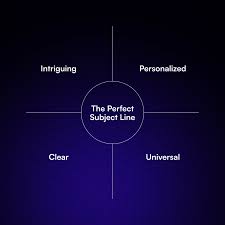
    While we’re talking about timing, don’t forget the subject line. A great subject line can significantly impact whether your email is opened, regardless of when it’s sent. If the subject line is boring or unclear, people might skip it even if it arrives at the “perfect” time.

    Your subject line should be compelling. It should create curiosity or clearly state the value inside. A/B testing your subject lines is just as important as testing your send times.

    Here are some quick tips for subject lines:

    • Keep it short and clear.
    • Personalize it if possible (e.g., using the subscriber’s name).
    • Create a sense of urgency or scarcity (use sparingly).
    • Ask a question to spark curiosity.
    • Highlight a key benefit or offer.

    Subject Line Power-Ups

    Bad Example: Newsletter

    Good Example: Your Weekly Marketing Tips Inside!


    Bad Example: Sale Info

    Good Example: ⚡ Flash Sale: 50% Off Ends Tonight!


    Bad Example: Update

    Good Example: , Did You See This Amazing News?

    I once saw a subject line that simply said, “Don’t Open This Email.” Of course, people were curious and opened it! It was a clever tactic for a specific audience. While not always suitable, it shows how a subject line can grab attention.

    The content inside then needs to deliver on that promise (or playful misdirection).

    A strong subject line paired with an optimized send time is a powerful combination. They work together to maximize your chances of getting your message seen and read.

    Common Pitfalls to Avoid

    Even with all this information, it’s easy to fall into common traps. One of the biggest is assuming a “one size fits all” approach. What works for Mailchimp’s general advice might not work for your niche audience.

    Another pitfall is not analyzing your data at all. You might be sending at a time that seems logical to you but is ineffective for your subscribers. Without looking at the numbers, you’ll never know.

    Sending too often or too infrequently can also hurt engagement, regardless of timing. Consistency is key. Find a schedule that works for your audience and stick to it.

    Newsletter Timing Mistakes

    Mistake 1: Ignoring Your Data

    Relying on generic advice without checking your own performance.

    Mistake 2: Assuming Everyone is the Same

    Not considering audience demographics and time zones.

    Mistake 3: Sending Irregularly

    Inconsistent send schedules confuse subscribers.

    Mistake 4: Overlooking Content Relevance

    Sending content that isn’t timely or relevant to the season/event.

    Mistake 5: Forgetting the Subject Line

    A weak subject line can doom even a perfectly timed email.

    I’ve seen many well-meaning marketers get discouraged because their newsletter isn’t performing. They might be doing everything else right – great content, good design – but they’re missing the mark on timing. It’s a subtle but critical factor.

    The goal isn’t to be perfect from day one. It’s to be observant, to test, and to learn. Over time, you’ll develop a sending schedule that works like a charm for your specific audience.

    When to Send: A Quick Recap

    So, to bring it all together, what’s the general wisdom? Most experts suggest:

    • Mid-week: Tuesday, Wednesday, Thursday.
    • Morning: Around 9 AM to 11 AM in your target audience’s time zone.

    But remember, this is just a starting point. Your own data, your audience’s habits, and your industry will ultimately tell you the real best time.

    Real-World Scenarios

    Let’s look at a few specific examples to solidify these ideas.

    Scenario 1: A Local Bakery Newsletter

    Audience: Local residents, many of whom are busy parents or workers.

    Likely Best Time: Tuesday or Wednesday morning, around 8 AM–10 AM. People might be thinking about breakfast treats or planning their day. Or perhaps Wednesday evening, when they’re planning weekend treats.

    Scenario 2: A Tech Startup’s Blog Updates

    Audience: Developers, engineers, tech enthusiasts.

    Likely Best Time: Tuesday or Thursday, 10 AM–12 PM. These are often active work hours for this demographic. They might check for industry news during breaks.

    Scenario 3: A Hobbyist Model Train Enthusiast Blog

    Audience: People with a dedicated hobby, likely with free time on weekends.

    Likely Best Time: Saturday morning, around 9 AM–11 AM. This is when they might have dedicated time for their hobby, including catching up on related news.

    Quick Scan: When to Send?

    General Rule: Mid-week mornings.

    Your Data: Always check analytics for your specific audience.

    Time Zones: Target the majority of your subscribers.

    Industry: B2B vs. B2C has different needs.

    Audience Lifestyle: Think about their daily routines.

    Content: Is it timely or evergreen?

    These are just examples. The key is that you have to look at your own situation. There’s no magic bullet time that works for everyone.

    It’s a personalized journey.

    What This Means for Your Newsletter Strategy

    Understanding the best time to send your newsletter isn’t just about getting more opens. It’s about respecting your subscribers’ time and meeting them when they are most receptive. When you send at the right time, your newsletter feels more like a welcomed guest than an interruption.

    This leads to better engagement. Better engagement means your message has a higher chance of being read, clicked, and acted upon. It builds a stronger connection with your audience.

    It helps you achieve your newsletter goals, whether that’s driving traffic, making sales, or building community.

    Don’t stress too much about finding the perfect minute. Focus on finding a consistent, effective window. And remember that “effective” is defined by your own subscriber data.

    Quick Fixes and Tips

    Here are some actionable tips to help you find your best send time:

    • Start with the general rule: Mid-week mornings.
    • Check your analytics: Look for patterns in open and click rates.
    • Segment your list: If you have distinct audience groups, test times for each.
    • A/B test send times: Run controlled experiments to see what works.
    • Be consistent: Once you find a good time, stick to it.
    • Consider content relevance: Time your sends around holidays or events.
    • Don’t forget the subject line: A good subject line is crucial.

    Your Action Plan:

    Step 1: Review your past 10 newsletters in your analytics.

    Step 2: Note the send day and time for each.

    Step 3: Note the open and click-through rates.

    Step 4: Look for any trends (e.g., Tuesdays always perform better).

    Step 5: Plan your next test send based on this initial data.

    It’s a continuous process of learning and refining. The more you pay attention, the better you’ll become at reaching your audience effectively.

    Frequently Asked Questions

    What is the absolute best time to send a newsletter?

    There’s no single “absolute best” time that works for everyone. However, general research suggests Tuesday, Wednesday, and Thursday mornings, between 9 AM and 11 AM in your audience’s local time zone, often see high engagement. Your own subscriber data will provide the most accurate answer.

    Should I send my newsletter on Mondays?

    Mondays can be tricky. Many people are catching up on emails from the weekend and planning their week. Engagement might be lower.

    It’s often better to wait until Tuesday, when people are more settled into their routine.

    Is it ever good to send newsletters on weekends?

    Yes, for some audiences, weekends can work well. This is especially true for hobbyists or people in industries where weekends are active workdays. Saturday mornings or Sunday evenings are potential times to test, but always monitor your specific engagement data.

    How do I know my subscribers’ time zones?

    Most email marketing platforms provide subscriber location data. You can often see a breakdown of where your subscribers are located. This information is crucial for sending at a time that’s convenient for them, not just for you.

    How often should I send my newsletter?

    Frequency depends on your audience and the value you provide. Most businesses find success with weekly or bi-weekly newsletters. The key is consistency.

    Sending too often can lead to unsubscribes, while sending too rarely can cause subscribers to forget about you.

    What if my audience is global?

    If you have a global audience, you’ll need to make strategic choices. You could prioritize the time zone with the largest segment of your subscribers. Alternatively, you might consider sending two separate campaigns at optimal times for different major time zones, if your platform allows and it makes sense for your content.

    Conclusion

    Finding the right time to send your newsletter is a blend of smart strategy and careful observation. Start with the common wisdom, but always let your own subscriber data guide your decisions. Experiment, track, and refine.

    Your audience will thank you for reaching out when they are most ready to hear from you.

  • How To Avoid Spam Folder

    Understanding the Spam Folder

    Think of the spam folder as a digital bouncer. It stands at the door of the inbox, trying to decide who gets in and who gets tossed aside. Email providers, like Gmail, Outlook, and Yahoo, use complex filters.

    These filters look at many things to guess if an email is unwanted junk.

    These filters are always learning. They change based on what users do. If many people mark an email as spam, the filter learns to block it.

    If people often open and reply to emails, the filter learns they are good. It’s a constant back-and-forth game. Keeping your emails out requires understanding these rules.

    It means being a good sender.

    My Own Spam Folder Scare

    I remember one time when I was sending out a newsletter for a small local business. I’d put a lot of work into it. It had great tips and a special offer.

    I sent it to about 200 people. A few hours later, I got a call from a regular customer. She said, “Hey, did you send out that email?

    I can’t find it.” My heart sank. I checked my own inbox. Nothing.

    I checked my sent folder. It showed sent. Then, I remembered.

    I asked her, “Could you check your spam folder?” She replied, “Oh, there it is! It went to junk.” Panic set in. What if all 200 emails went to spam?

    I quickly scanned my own spam folder. Sure enough, there it was. It had a subject line that, in hindsight, probably looked a little too salesy.

    That day taught me a huge lesson about how easily emails can get flagged.

    Subject Line Smarts

    The subject line is your first impression. Make it count.

    • Be Clear: Tell people what the email is about.
    • Avoid Spam Words: Words like “free,” “buy now,” “guarantee,” or excessive exclamation points can trigger filters.
    • Personalize It: Using the recipient’s name can help.
    • Keep it Concise: Long subject lines might get cut off.

    What Makes an Email “Spammy”?

    Many things can make an email look like junk. Some are obvious. Others are more subtle.

    Spam filters look at the sender’s address. They check the content of the message. They even look at how recipients interact with your emails.

    High bounce rates or low open rates can hurt your sending reputation.

    A bad sender reputation is like having a bad name in town. Once it’s tarnished, it’s hard to fix. Email providers share this data.

    So, if one provider flags you, others might too. It’s a connected system. We need to treat it with respect.

    Building a Good Sender Reputation

    Your sender reputation matters a lot. It’s built over time. It’s based on how your emails are treated by recipients and email providers.

    Getting people to mark your emails as “not spam” helps. Asking them to add you to their contacts is even better.

    This is why permission is key. Always get explicit permission before sending emails. If someone didn’t ask for your emails, they might mark them as spam.

    This damages your reputation. It’s like a domino effect. One bad mark can lead to more problems down the line.

    Sender Reputation Factors

    Key elements that build trust:

    Permission

    Did they opt-in?

    Engagement

    Do they open & click?

    Complaints

    Are your emails marked as spam?

    Deliverability

    Do emails reach the inbox?

    Content That Lands in the Inbox

    What you write inside the email is just as important as the subject line. Spam filters analyze the body text. They look for patterns that match spam messages.

    Things like all caps text, lots of bolding, or using too many colors can seem spammy. Also, if your email is full of just links or images with no text, filters might get suspicious. A good balance is needed.

    Provide real value in your message.

    The Role of Images and Links

    Images can make emails look nice. But too many can be a problem. Some filters block emails with lots of images.

    Especially if the images contain important text. Text in images can be invisible to filters. This makes them suspicious.

    Always include enough text to explain what the image is about.

    Links are also tricky. If you have many links, or links that point to suspicious websites, filters might flag you. Try to use clear, simple links.

    Make sure the URL looks safe and matches the text. Avoid link shorteners if you can, as some are used by spammers.

    Personalization and Segmentation

    Sending the same generic email to everyone is a mistake. It often feels like spam. People expect emails tailored to their interests.

    Personalization shows you know your audience.

    Use merge tags for names. Segment your list based on past behavior or interests. If you sell shoes, don’t send an email about hats to someone who only buys shoes.

    This makes your emails more relevant. Relevance is key to engagement. It signals to filters that your email is wanted.

    Content Checklist for Inbox Placement

    Before you hit send, ask:

    Value Proposition

    Does it offer something useful?

    Clarity

    Is the message easy to understand?

    Call to Action

    Is it clear what you want them to do?

    Authentication: Your Digital ID Card

    Authentication methods are like your email’s ID. They help prove you are who you say you are. This is very important for avoiding spam filters.

    Three main methods are used: SPF, DKIM, and DMARC.

    SPF (Sender Policy Framework) tells mail servers which IP addresses are allowed to send email for your domain. It’s like a list of approved senders for your address. DKIM (DomainKeys Identified Mail) adds a digital signature to your emails.

    This signature proves the email hasn’t been tampered with in transit. DMARC (Domain-based Message Authentication, Reporting & Conformance) builds on SPF and DKIM. It tells receiving servers what to do if an email fails these checks (e.g., reject it or send it to spam).

    The Importance of an Opt-In Strategy

    This cannot be stressed enough: always get permission. An opt-in strategy means people willingly sign up to receive your emails. This is the foundation of good email marketing.

    It ensures everyone on your list wants to hear from you.

    There are different types of opt-ins. Single opt-in is when someone signs up and they are immediately added. Double opt-in is better.

    After signing up, they get an email asking them to confirm their subscription. This extra step cuts down on fake sign-ups and ensures higher quality leads. It also helps prevent accidental sign-ups by people who might later mark you as spam.

    Managing Your Email List

    A clean email list is a happy email list. Over time, email addresses can become inactive. People change their email providers or stop using certain addresses.

    Sending to these bad addresses hurts your sender reputation.

    Regularly clean your list. Remove people who haven’t opened your emails in a long time. Use re-engagement campaigns to try and win them back.

    If they still don’t respond, it’s time to let them go. It’s better to have a smaller list of engaged subscribers than a huge list of inactive ones. This improves your deliverability rates.

    List Cleaning Best Practices

    Remove Bounces

    Hard bounces are permanent errors. Remove them immediately.

    Monitor Inactivity

    Identify subscribers who haven’t opened emails in months.

    Re-engagement Campaign

    Send a special series to win back inactive users.

    Unsubscribe Link

    Make it easy for people to unsubscribe. This is required by law.

    The “From” Name and Address

    The name and address that appear in the “From” field are critical. They are often the first things a recipient sees.

    Use a recognizable and consistent “From” name. It could be your name (like “Jane Doe” or “John Smith”) or your company name (“Acme Corp.”). Avoid generic names like “info” or “noreply.” These can look spammy.

    Your “From” email address should also be professional and linked to your domain. For example, “jane.doe@yourcompany.com” is much better than “janedoe123@gmail.com” for business communication.

    Consistency is Key

    Email providers like to see consistency. If you suddenly send a huge volume of emails after sending very few for a long time, it can raise red flags. Filters might think you’re a spammer trying to send out a burst of unwanted messages.

    Build up your sending volume gradually. If you’re new to email marketing, start with a small list and a small number of sends. As your sender reputation grows and your list expands, you can slowly increase your sending frequency and volume.

    This steady approach builds trust over time.

    Testing Your Emails

    Before sending a big campaign, test your emails. Many email service providers offer tools for this. You can send a test email to yourself and colleagues.

    Check how it looks on different devices and email clients (like Gmail, Outlook, Apple Mail).

    You can also use services that test your email against various spam filters. These tools simulate how filters might see your email. They can give you a spam score and highlight potential issues.

    This proactive step can save you from a lot of trouble later.

    Email Testing: What to Check

    Rendering

    How does it look on desktop and mobile?

    Links

    Do all links work correctly?

    Spam Score

    Use tools to check for potential spam triggers.

    Unsubscribe Link

    Is it clearly visible and functional?

    When Is It Okay to Send an Email?

    The core principle is that your email should be welcomed. If someone actively signed up for your emails, they likely want them. If they are providing value and are relevant to the subscriber’s interests, they are more likely to be welcomed.

    Think about the Federal Trade Commission’s CAN-SPAM Act in the U.S. It sets rules for commercial emails. It requires honest subject lines, identifies the message as an ad, and requires a way to opt out.

    Following these rules is not just good practice; it’s the law.

    What if My Emails Land in Spam Anyway?

    Don’t panic if this happens occasionally. Even the best senders can have an email slip through. The key is to monitor the situation.

    Check your spam reports if your email service provider offers them.

    If you see a pattern, review the points we’ve discussed. Look closely at your recent campaigns. Did you change anything?

    Did you use new keywords? Were there more links than usual? Making small adjustments and re-testing can often fix the problem.

    Sometimes, it just takes a little time for your reputation to recover.

    Addressing “People Also Ask” Questions

    Lots of people wonder about specific aspects of avoiding the spam folder. Here are some common questions and answers.

    Common Email Deliverability Questions

    What is the single biggest factor in email deliverability?

    User engagement is a huge factor. If people open, click, and reply to your emails, providers see them as valuable. Low engagement can lead to spam folders.

    How often should I send emails?

    Send emails consistently but don’t overdo it. Too frequent emails can annoy subscribers. Too infrequent can make them forget you.

    Find a balance that works for your audience.

    Can I buy an email list to send to?

    Never buy an email list. These lists are often filled with invalid addresses. Sending to them will ruin your sender reputation and lead to your emails going to spam.

    What are the CAN-SPAM Act requirements?

    Key rules include not using false headers, clear identification of promotional messages, a valid physical address, and an easy opt-out mechanism.

    How do I know if my emails are going to spam?

    Monitor your email analytics. Look for low open rates, high bounce rates, or complaints. Some services offer spam testing tools.

    What is a good unsubscribe rate?

    A low unsubscribe rate is good. If many people are unsubscribing, it means your content might not be relevant or you are sending too often. Aim for less than 0.5%.

    Final Thoughts on Inbox Placement

    Keeping your emails out of the spam folder is an ongoing process. It requires attention to detail. It also needs respect for your subscribers.

    Focus on providing value. Always get permission. Build trust through authentication and good list management.

    Your goal is to be a welcome sender. When your subscribers look forward to your emails, they’ll stay out of the junk folder.

  • Email Preview Text Tips

    Email preview text is the snippet of text that appears right after your email’s subject line in an inbox. It acts as a secondary hook to encourage recipients to open your message. Crafting effective preview text is key to improving open rates, as it provides a glimpse into the email’s content.

    What is Email Preview Text?

    Think of your inbox like a busy street. Your email preview text is like a friendly sign pointing to your store. The subject line gets their attention.

    But the preview text gives them a little more detail. It tells them what they might find inside your email. It’s that little peek.

    It’s often the second thing someone sees. This makes it a big deal.

    Most email programs show this text. This includes Gmail, Outlook, and mobile apps. They usually show a few words or a sentence.

    It’s a small space. But it can do a lot of work for you. It’s your chance to say more.

    It’s your chance to sell the click.

    This text comes from the start of your email. It’s what your email begins with. But you can control it.

    You can tell the email system what you want to show. This is better than letting it pick random words. You want to guide their choice.

    You want to make them curious.

    Good preview text makes your email stand out. It can feel personal. It can feel urgent.

    It can feel valuable. Bad preview text can make your email look like junk. It can make people hit delete.

    It’s really about what you want to say. And how you want to say it quickly.

    Why Email Preview Text Matters So Much

    Imagine you’re walking down that busy street. You see a shop sign. It says “Sale!” That gets you thinking.

    But then you see a little card below it. It says “50% Off All Shoes Today Only.” Now you’re really interested. That’s what good preview text does.

    It adds detail. It adds a reason to stop and look.

    In a crowded inbox, emails fight for attention. People scan them fast. They decide to open or not very quickly.

    The subject line is the first fight. Preview text is the second. If both are weak, your email gets ignored.

    You worked hard on the email content. Don’t let it go to waste.

    This text can increase your email open rates. Higher open rates mean more people see your message. More people might click links.

    More people might buy something. It’s a direct link to success. It’s a simple step with big rewards.

    It also helps set expectations. If your preview text is clear, people know what they’re getting. This stops disappointment later.

    They won’t feel tricked. This builds trust. Trust is key in email marketing.

    It makes people want to hear from you again.

    Many brands miss this chance. They just let the email system pick the first few words. These words might be “View this email in your browser.” Or they might be a greeting.

    That’s not exciting. It doesn’t tell them anything useful. You have control.

    Use it well.

    Preview Text vs. Subject Line: The Dynamic Duo

    Subject Line: The headline. It must be catchy and concise. It aims to grab immediate attention.

    Think of it as the movie poster.

    Preview Text: The trailer snippet. It offers a bit more detail. It supports the subject line and expands on the offer or content.

    It’s the enticing movie trailer.

    Together, they work as a team. A great subject line with weak preview text is a missed opportunity. A weak subject line with great preview text might still get an open.

    But both need to be strong.

    How to Write Effective Email Preview Text

    So, how do you actually do this? It’s not magic. It’s about smart writing.

    Think like the person receiving the email. What would make you open it? What details would convince you?

    1. Support Your Subject Line: Your preview text should complement your subject. If your subject is “Big News!”, your preview text could say, “We’re launching something new you’ll love.” It expands on the subject.

    It gives a hint of what the news is about.

    2. Create Curiosity: Ask a question. “Did you know this about ?” Or hint at a benefit.

    “Unlock your secret to better sleep.” Make them wonder. Make them want to know the answer.

    3. Highlight Key Benefits or Offers: If you have a special deal, say it. “Get 20% off your first order.” Or mention a key takeaway.

    “Learn how to save time on your daily tasks.” Make the value clear.

    4. Use a Call to Action (Subtly): Sometimes, a gentle nudge works. “Tap to see our latest styles.” Or “Find out more inside.” Keep it short and inviting.

    5. Personalize When Possible: If you can use the recipient’s name or mention something specific to them, do it. “John, your weekly style picks are here.” This makes the email feel more direct.

    6. Keep it Concise: You don’t have much space. Aim for about 50-70 characters.

    Some systems show more. Some show less. It’s better to be short and punchy.

    Every word counts.

    7. Avoid Spam Triggers: Don’t use too many exclamation points or all caps. Avoid words like “FREE MONEY” or “URGENT.” This can send your email to the spam folder.

    8. Make it Mobile-Friendly: Most emails are opened on phones. Phones have less screen space.

    Your preview text needs to be clear and short. What shows up on a small screen is key.

    Real-World Examples: Good vs. Bad

    Let’s see this in action. Imagine an email about a new online course. Your audience is busy professionals.

    Contrast Matrix: Preview Text in Action

    Scenario Weak Preview Text Strong Preview Text
    Subject: New Course Launch! “If you are unable to view this email.” “Master project management in 4 weeks. Learn now!”
    Subject: Your Weekly Newsletter “View this email in your browser.” “Top 3 productivity hacks + interviews with experts.”
    Subject: Big Sale Happening Now! “Hello ,” “Up to 50% off! Don’t miss out on these deals.”

    See the difference? The weak examples are generic. They don’t tell you anything new.

    The strong ones offer a benefit. They create interest. They make you want to click.

    I remember sending out a newsletter once. I spent ages on the subject line. I thought it was clever.

    But I didn’t think about the preview text. It just picked up the first sentence. It was something like, “Welcome to our weekly update.” Nobody opened it.

    I was so confused. Then I looked at the preview text. I realized I had failed the second test.

    That’s when I learned to treat preview text like a co-star.

    Common Mistakes to Avoid

    It’s easy to make mistakes with preview text. Most of them come from not giving it enough thought. Here are a few to watch out for.

    1. Leaving it Blank: This is the most common mistake. If you don’t set it, the email client will just grab the first bit of text.

    This is often a generic link or a greeting. It’s a wasted opportunity.

    2. Using Generic or Text: Things like “Click here” or “Read more” aren’t very exciting. They don’t offer specific value.

    Make your text unique to the email.

    3. Repeating the Subject Line: There’s no need to say the same thing twice. The preview text should add to the subject, not just echo it.

    You want to give more reasons to open.

    4. Making it Too Long: You have limited space. Long preview text will get cut off.

    This can look messy. It can also hide your main message. Stick to the point.

    Be brief.

    5. Forgetting Mobile Users: As mentioned, phones show less text. Always check how your preview text looks on a mobile device.

    What you see on a desktop might be different.

    6. Using Poorly Written Text: Typos and bad grammar in your preview text look unprofessional. It can make people doubt the quality of your entire email.

    Proofread everything!

    Quick-Scan Table: Preview Text Best Practices

    • Do: Support the subject line.
    • Do: Create curiosity.
    • Do: Highlight key benefits.
    • Do: Keep it short (50-70 characters).
    • Do: Personalize if possible.
    • Do: Check mobile view.
    • Don’t: Leave it blank.
    • Don’t: Repeat the subject.
    • Don’t: Use spammy words.
    • Don’t: Forget to proofread.

    How to Set Your Preview Text

    This process is usually quite simple. It depends on the email marketing service you use. Most services have a clear field for it.

    When you are building your email, look for a setting related to “Preview Text,” “Preheader Text,” or “Message Snippet.” This field is usually near the subject line setting.

    You simply type your desired preview text into that box. It overrides whatever text is at the very beginning of your email. Make sure to save your changes.

    Then test it! Send a test email to yourself and a few colleagues. Open it on different devices and email clients.

    Some older systems might not support custom preview text. In those cases, you need to be very careful about what you put at the start of your email body. Make sure the first sentence or two is compelling.

    But most modern platforms offer this feature. It’s worth checking your platform’s help guides if you’re unsure.

    When to Use Different Preview Text Styles

    The best preview text depends on your goal. What are you trying to achieve with this email?

    For Sales Emails: Focus on the offer and urgency. “Flash sale ends tonight! Get 30% off.” Or “Limited stock: Your favorite items are selling fast.”

    For Newsletters: Highlight the most interesting content. “Read our latest interview with and get tips on X.” Or “This week: AI trends and creative inspiration.”

    For Announcements: Be clear and exciting. “We’re thrilled to share our new feature!” Or “Join us for an exclusive webinar on .” Make them feel part of something new.

    For Updates: Be informative and direct. “Your account has been updated. Here’s what’s new.” Or “Important information about your upcoming order.” Be honest and clear.

    For Promotional Offers: Clearly state the value proposition. “Free shipping on all orders this weekend!” Or “Buy one, get one free – ends Sunday!” Make the benefit obvious.

    I once worked with a small bakery. They sent out weekly emails about their specials. Their subject lines were okay.

    But their preview text was always just “New items this week.” It was boring. We changed it to be more specific. Like, “Warm croissants and fresh sourdough await you!” Or “Try our new pumpkin spice muffins!” Their open rates jumped.

    People were excited to see what was new.

    It’s all about connecting with your audience. What do they care about? What problem are you solving for them?

    What desire are you fulfilling? Your preview text should answer that. It should give them a reason to engage.

    Observational Flow: Crafting Your Preview Text

    1. Know Your Goal: What do you want the reader to do?
    2. Know Your Audience: What matters to them?
    3. Draft Subject Line: Make it catchy.
    4. Draft Preview Text: Support the subject, add value.
    5. Be Specific: Highlight benefits or offers.
    6. Keep it Short: Aim for 50-70 characters.
    7. Create Curiosity: Make them want to learn more.
    8. Review and Refine: Does it make sense? Is it compelling?
    9. Test: Send a test email and check on different devices.

    Understanding Length and Character Limits

    This is where things can get a little tricky. Different email clients and devices show different amounts of preview text. There’s no single perfect length for everyone.

    General Guideline: Aim for about 50 to 70 characters. This is a safe range for most inboxes. It’s short enough to be seen on mobile devices.

    It’s also long enough to convey a key message.

    Desktop vs. Mobile: Desktop clients (like Outlook on a computer) often show more text. They might show up to 100 characters or more.

    Mobile apps (like Gmail on an iPhone) are much more restrictive. They might only show 30-40 characters before cutting off.

    What Happens When Text is Cut Off: If your preview text is too long, the email client will stop showing it. It might then try to fill the rest of the space with other text from your email. This can look messy.

    It might show something like “To view this email.” which is a wasted opportunity. Or worse, it could show something that doesn’t make sense out of context.

    Best Strategy: Write your most important message in the first 50 characters. Then, add a little more detail if you have space. This way, the core of your message will be visible no matter what.

    I learned this the hard way with an e-commerce client. They had a great sale. Their subject line was “Huge Summer Savings!” Their preview text was something like, “Get ready for summer with our biggest sale ever, featuring discounts on all your favorite items, plus free shipping on orders over $50.

    Don’t miss out on these incredible deals!” On a desktop, it looked great. On a phone, it was cut off after “Get ready for summer.” The rest of the message was lost. We had to shorten it significantly to make sure the “biggest sale ever” and “free shipping” part showed up.

    Tip: Always use a tool that shows you how your email will look in different inboxes. Many email marketing platforms offer this preview feature. If yours doesn’t, send tests to different email addresses (Gmail, Outlook, Yahoo) and check them on both desktop and mobile.

    What This Means for Your Email Strategy

    Considering your preview text isn’t just a small detail. It’s a key part of your overall email strategy. It directly impacts how many people actually see the content you worked so hard to create.

    1. Increased Engagement: Better preview text leads to higher open rates. This means more eyes on your subject line.

    It means more chances for clicks and conversions. It’s a direct path to better results.

    2. Improved Deliverability Perception: While not a direct ranking factor for deliverability, a higher open rate signals to email providers that your emails are wanted. This can indirectly help your sender reputation over time.

    If people consistently open your emails, providers see you as a valuable sender.

    3. Better User Experience: Clear and relevant preview text sets accurate expectations. Recipients know what to expect before they open.

    This leads to a more positive experience. They feel less surprised and more satisfied. This helps build loyalty.

    4. Competitive Edge: Many businesses still neglect preview text. By mastering it, you stand out.

    Your emails will look more professional. They will grab more attention in a busy inbox. This gives you an advantage over competitors.

    5. Strategic Content Planning: Thinking about your preview text early in the process can influence your email content. You might frame your subject line and opening sentences differently if you know how they’ll be used.

    Stacked Micro-Sections: Preview Text’s Impact

    Opens: Direct link to higher open rates.

    Clicks: More opens mean more potential clicks.

    Trust: Sets clear expectations, builds confidence.

    Brand: Professionalism and attention to detail.

    Strategy: Integral part of content planning.

    Don’t let your emails get lost. Give your preview text the attention it deserves. It’s a small piece of text with a huge impact.

    Frequent Questions About Email Preview Text

    What is the difference between preheader text and preview text?

    These terms are often used interchangeably. “Preview text” refers to the actual snippet seen in the inbox. “Preheader text” is the actual text you set within your email’s code or editor to control what appears as preview text.

    So, you set the preheader text to define the preview text.

    Can I use emojis in my preview text?

    Yes, you can use emojis! Emojis can help your email stand out and convey emotion quickly. However, use them wisely.

    Too many emojis can look unprofessional or trigger spam filters. Also, check how they render on different devices, as they can sometimes look different.

    What if my email’s first sentence is good, but I want to use different preview text?

    This is exactly why you should set custom preview text! If your email starts with “Dear ,” and you want your preview text to be “Limited-time offer inside!”, you can set that custom text. It will override the opening sentence in the inbox view.

    Always aim to set custom preview text.

    How do I know if my preview text is working?

    Track your email open rates! If your open rates increase after you start optimizing your preview text, it’s likely working. You can also use A/B testing to compare different preview text variations and see which performs best for your audience.

    What if I don’t set any preview text?

    If you don’t set any custom preview text, most email clients will automatically pull text from the very beginning of your email. This could be a greeting, a link to view the email online, or the first sentence of your content. This often results in weak or irrelevant preview text that doesn’t encourage opens.

    Should I always use a call to action in my preview text?

    Not always. A call to action can be effective, especially for sales emails. However, for newsletters or informational emails, creating curiosity or highlighting a key benefit might be more appropriate.

    The goal is to entice the open, so the best approach depends on the email’s content and purpose.

    Conclusion

    Crafting great email preview text is a simple yet powerful way to boost your email performance. It works hand-in-hand with your subject line. It’s your second chance to make a great first impression.

    Think about your audience. Be clear, concise, and compelling. Test your results.

    Making this small change can lead to much bigger success in your email marketing efforts.

  • Subject Line Formulas

    Have you ever stared at a blank email draft, wondering what words will make someone actually click? It’s a common struggle. You pour your heart into crafting a great email, but if the subject line doesn’t catch their eye, it might as well be invisible.

    This can feel really frustrating when you’re trying to share something important or make a sale.

    Let’s talk about how to fix that. We’ll break down simple, effective subject line formulas. You’ll learn to write lines that work.

    They will make people want to see what’s inside your emails. We’ll make this easy to understand and use.

    Subject line formulas are proven structures for writing email titles that increase open rates. They often use specific word patterns, questions, or benefit-driven language to grab attention. Using these formulas can help you craft compelling subject lines that resonate with your audience. This guide explores various formulas and how to apply them effectively for better email engagement.

    The Heart of an Email: Why Subject Lines Matter So Much

    Think of your inbox. It’s a busy place. Every day, hundreds of messages flood in.

    How do you decide which ones to open? You glance at the sender. You glance at the subject line.

    That’s it. The subject line is your email’s first impression. It’s like a tiny billboard.

    It needs to be good.

    A great subject line makes your email stand out. It tells the reader why they should care. It sparks curiosity.

    It promises a benefit. A weak one gets lost. It gets ignored.

    Or worse, it gets deleted. This is true for personal emails. It’s even truer for business emails.

    This is why understanding subject line formulas is key. They give you a roadmap. They help you avoid the common mistakes.

    They guide you to write what people want to read. We’ll explore several types. We’ll show you how they work.

    You’ll get examples for each.

    My Own Inbox Battle: A Story of Subject Line Struggles

    I remember when I first started sending out newsletters. I worked really hard on each article. I thought my content was amazing.

    My open rates were, well, not amazing. They were pretty low. I’d send out an email with a subject like “Newsletter Update.” Or maybe “Here’s What’s New This Week.”

    I just didn’t get it. People weren’t opening my emails. I felt a bit defeated.

    It was like shouting into the wind. Then, I started researching. I read about how important subject lines are.

    I saw examples of emails with super catchy subjects. They got tons of opens. I realized I was missing a huge piece of the puzzle.

    I needed a better way to talk to my readers. I needed to use subject line formulas.

    It took time. I tested different things. I saw what worked and what didn’t.

    The biggest change came when I stopped guessing. I started using proven structures. The difference was night and day.

    My open rates climbed. People started replying. It felt so much better.

    This is what I want for you too.

    Formula 1: The Curiosity Gap – Make Them Wonder

    This formula works by hinting at something interesting. It doesn’t give away the whole story. It makes the reader feel like they’re missing out if they don’t open the email.

    It creates a need to know more. This is a powerful psychological trigger.

    Think about how we consume news or social media. We click on headlines that make us wonder. “You Won’t Believe What Happened Next!” or “The Secret to.” That’s the curiosity gap in action.

    For emails, this translates to subjects that tease a solution, a surprise, or a key piece of information.

    How it works: You mention a topic or a problem. Then, you suggest you have the answer or a related insight. But you don’t spell out exactly what that answer is.

    It’s like saying, “I have a great story to tell you,” instead of telling the whole story in the subject.

    Curiosity Gap Examples

    Normal Subject: Tips for Better Sleep

    Curiosity Gap Subject: The One Thing You’re Doing Wrong for Sleep

    Normal Subject: New Product Announcement

    Curiosity Gap Subject: We Just Did Something Big (You’ll Want to See This)

    Normal Subject: How to Save Money

    Curiosity Gap Subject: The Surprising Way I Saved $500 Last Month

    Why it’s effective: Humans are naturally curious. We like to solve puzzles. When a subject line presents an unanswered question or a hint of something intriguing, our brains want to find the answer.

    This often leads to a click.

    When to use it: This works well for content updates, new product launches, or when you have a unique story or insight to share. It’s less effective for very direct sales pitches unless the “secret” is a special offer.

    A word of caution: Don’t be misleading. The email content must deliver on the promise of the subject line. If you create too much hype and under-deliver, people will stop trusting your emails.

    Honesty is key, even when creating mystery.

    Formula 2: The Benefit-Driven Subject – What’s In It For Them?

    This formula is about directly telling the reader what they will gain by opening your email. It’s clear, concise, and focuses on the value proposition. People are busy.

    They want to know quickly if an email is worth their time. This formula answers that question upfront.

    You are essentially answering the reader’s unspoken question: “Why should I open this email?” The answer is always about them. It’s about how your information, product, or service will make their life better, easier, or more enjoyable. It focuses on the positive outcome.

    How it works: You highlight a specific advantage, a solution to a problem, or a desired outcome. You use words that promise improvement, savings, learning, or enjoyment. Think about what your reader truly wants or needs.

    Benefit-Driven Examples

    Normal Subject: Our New Software

    Benefit-Driven Subject: Save 2 Hours a Day with Our New Software

    Normal Subject: Health Tips

    Benefit-Driven Subject: Boost Your Energy Naturally This Week

    Normal Subject: Marketing Guide

    Benefit-Driven Subject: Get More Leads With This Simple Marketing Guide

    Why it’s effective: This is straightforward. It appeals to self-interest, which is a strong motivator. Readers can quickly scan their inbox and identify emails that offer something they want.

    It respects their time by being direct about the value.

    When to use it: This formula is excellent for promotional emails, educational content, and service offerings. It works well when you have a clear solution or a desirable outcome to offer. It builds trust because you are upfront about the value.

    Key takeaway: Focus on the result for the reader, not just the feature. Instead of “New feature added,” say “Do X faster with our new feature.” It’s the difference between saying “This car has four wheels” and “Get to your destination faster and safer.”

    Formula 3: The Urgency/Scarcity Tactic – Act Now!

    This formula taps into our fear of missing out (FOMO). It creates a sense of urgency or scarcity. This encourages immediate action.

    When people feel something is limited or time-sensitive, they are more likely to act quickly.

    Think about “limited time offers” or “only a few left in stock.” These phrases are designed to get you to buy or act before the opportunity is gone. This is a powerful nudge for email marketing. It can significantly boost conversion rates when used correctly.

    How it works: You include words or phrases that indicate a deadline or limited availability. Common elements include “ends soon,” “last chance,” “limited spots,” “only X left,” or specific dates. The goal is to create a feeling that the offer or opportunity will disappear soon.

    Urgency/Scarcity Examples

    Normal Subject: Sale on Our Products

    Urgency/Scarcity Subject: Last Chance: 40% Off Ends Tonight!

    Normal Subject: Webinar Registration

    Urgency/Scarcity Subject: Only 10 Spots Left for Our Exclusive Webinar

    Normal Subject: Special Offer

    Urgency/Scarcity Subject: Don’t Miss Out: Your Discount Expires Tomorrow

    Why it’s effective: FOMO is a strong human emotion. We don’t like feeling left out. When an email subject line tells us we have a limited window to get a deal or access something valuable, we are compelled to act.

    This can overcome procrastination.

    When to use it: This is perfect for sales, promotions, limited-time events, or when you have a finite amount of a product or service. It can also be used for time-sensitive news or updates that readers shouldn’t miss.

    Important note: This tactic must be used honestly. If you always have a “last chance” sale, people will stop believing you. Use it for genuine limited-time offers to maintain trust.

    Overusing it can lead to audience fatigue and skepticism.

    Formula 4: The How-To Guide – Teach Them Something

    This is a classic and highly effective formula. It promises to teach the reader how to do something specific. People are always looking to learn new skills, solve problems, or improve their current situation.

    A “how-to” subject line directly addresses this need.

    It’s about empowering your audience. You’re positioning yourself as a helpful resource. This builds authority and trust.

    When you consistently provide valuable “how-to” content, people will look forward to your emails.

    How it works: The subject line starts with “How to.” or a similar phrase that clearly states a learning objective. It often includes the specific outcome or benefit the “how-to” will achieve. The simpler and more direct, the better.

    How-To Guide Examples

    Normal Subject: Baking Tips

    How-To Guide Subject: How to Bake Perfect Cookies Every Time

    Normal Subject: Budgeting Advice

    How-To Guide Subject: How to Create a Budget That Actually Works

    Normal Subject: Social Media Strategy

    How-To Guide Subject: How to Grow Your Social Media Following Organically

    Why it’s effective: This formula is highly practical. It appeals to a direct need for knowledge or skill. Readers know exactly what they will learn and can decide if it’s relevant to them.

    It sets clear expectations for the email’s content.

    When to use it: This is perfect for educational content, tutorials, guides, tips, and advice. It works for almost any niche where you can teach something valuable to your audience. It’s especially good for building a loyal readership.

    Pro-tip: Make your “how-to” as specific as possible. Instead of “How to garden,” try “How to grow tomatoes in small spaces.” Specificity makes it more appealing and relevant to a wider audience looking for solutions.

    Formula 5: The Question-Based Subject – Engage Their Mind

    Asking a question in your subject line is a direct way to engage the reader. It invites them to think about their own situation or needs. This can be very effective because it makes the email feel more personal and interactive, even before they open it.

    It’s like starting a conversation. When someone asks you a question, you naturally want to answer it, even if it’s just in your head. This immediate engagement pulls the reader in and makes them curious about your perspective or answer.

    How it works: The subject line is a direct question that relates to a problem, a desire, or a common experience of your target audience. The question should be something they can relate to or ponder.

    Question-Based Examples

    Normal Subject: Productivity Tips

    Question-Based Subject: Struggling to Stay Productive? We Can Help.

    Normal Subject: Travel Deals

    Question-Based Subject: Dreaming of a Vacation? Discover Our Latest Deals.

    Normal Subject: Financial Planning

    Question-Based Subject: Is Your Retirement Plan on Track?

    Why it’s effective: Questions are inherently engaging. They prompt thought and create a sense of connection. When the question is relevant, the reader feels understood.

    They are more likely to open the email to find the answer or explore the topic further.

    When to use it: This formula is versatile. It works well for newsletters, content marketing, and even for re-engaging inactive subscribers. It’s great for starting dialogues and understanding your audience’s pain points better.

    Best practice: Ensure the question is something your audience actually cares about. A question that’s too generic or irrelevant won’t work. Make it specific enough to resonate but broad enough to apply to many people in your list.

    Formula 6: The Personalized Approach – Make It About Them

    Personalization is king in modern marketing. Using the recipient’s name is a basic step. But personalization goes much deeper.

    It means tailoring your subject line to their specific interests, past behavior, or location. This shows you know and value them.

    When an email subject line feels like it was written just for you, it’s incredibly powerful. It cuts through the noise. It makes the reader feel seen and understood.

    This significantly increases the chance they will open and engage with your email.

    How it works: This involves using dynamic content in your subject line. This could be the recipient’s name, their location, a product they viewed, or an interest they’ve shown. Tools often help with this by using merge tags or segmentation.

    Personalized Examples

    Normal Subject: Your Weekly Newsletter

    Personalized Subject: , Your Weekly Dose of

    Normal Subject: Recommended Products

    Personalized Subject: Still Thinking About Those ? We Have New Options.

    Normal Subject: Event Invitation

    Personalized Subject: , Special Invitation to Our Event

    Why it’s effective: Personalization creates an immediate connection. It makes the email feel less like a mass broadcast and more like a direct message. This fosters loyalty and a sense of being valued.

    It significantly boosts open and click-through rates.

    When to use it: This can be used for almost any type of email. It’s particularly effective for e-commerce, event invitations, targeted content delivery, and customer loyalty programs. It requires data segmentation to be truly effective.

    Getting started: Even if you can’t personalize with deep data, using the recipient’s first name is a great start. Most email marketing platforms allow this easily. It’s a simple change that can make a big difference.

    Formula 7: The Direct & Clear Approach – No Ambiguity

    Sometimes, the best approach is simply to be direct. This formula is about stating exactly what the email is about in the subject line. There’s no guessing, no tricks, just clear information.

    This is particularly effective for practical, informative, or transactional emails.

    When people need specific information or are expecting a particular type of communication, they appreciate clarity. This formula cuts through confusion and delivers the message immediately. It builds trust through transparency.

    How it works: You clearly state the purpose of the email. This might be an order confirmation, a shipping update, an appointment reminder, or a critical announcement. You use straightforward language that leaves no room for misinterpretation.

    Direct & Clear Examples

    Normal Subject: Update

    Direct & Clear Subject: Your Order #12345 Has Shipped!

    Normal Subject: Meeting Notes

    Direct & Clear Subject: Meeting Minutes from Today’s Project Sync

    Normal Subject: Important Info

    Direct & Clear Subject: Action Required: Update Your Billing Information

    Why it’s effective: This method respects the recipient’s time. They know immediately if the email requires their attention or is relevant to their current needs. For transactional emails, clarity is paramount to avoid confusion and reduce customer service inquiries.

    When to use it: This is ideal for confirmations, notifications, alerts, important announcements, or any email where the purpose is very specific and needs to be understood instantly. It’s also useful for delivering requested information.

    Remember: Even in direct emails, you can add a touch of value. For example, “Your Order #12345 Has Shipped! Track it Here.” This adds a small call to action within the clarity.

    Mixing and Matching Formulas: Creating Your Own Magic

    The best subject lines often don’t stick to just one formula. They borrow elements from several to create something unique and powerful. Think of these formulas as building blocks.

    You can combine them to make them even more effective.

    For instance, you could combine a benefit with a touch of curiosity. Or you could add urgency to a how-to guide. The goal is to make the subject line compelling enough to get that click, while still being relevant and honest.

    How it works: Take two or more formulas and weave them together. The key is to ensure it still flows well and isn’t too long or confusing. It should still feel natural and engaging.

    Combined Formula Examples

    Curiosity + Benefit: The Secret to Doubling Your Leads (Without Spending More)

    How-To + Urgency: How to Master Before This Special Offer Ends

    Question + Benefit: Wondering How to Save Time? This Simple Trick Works.

    Personalized + Direct: , Your Shipping Confirmation for

    Benefit + Scarcity: Get 30% Off Your Next Order – Limited Time!

    Why it’s effective: Combining elements allows you to address multiple motivations. You can grab attention with curiosity, highlight value with a benefit, and prompt action with urgency, all in one subject line. This multi-layered approach can be very persuasive.

    Tips for combining:

    • Keep it concise: Shorter is usually better.
    • Prioritize the main hook: What’s the most important thing you want to convey?
    • Test, test, test: What works for one audience might not work for another.

    Testing Your Subject Lines: The Key to Success

    Even with the best formulas, you won’t know what truly works for your audience unless you test. What resonates with one group might fall flat with another. Testing is how you learn and improve your open rates over time.

    This is crucial for long-term success.

    Most email marketing platforms offer A/B testing features. This allows you to send two different subject lines to small segments of your list. Then, you can see which one performs better before sending it to your entire list.

    It’s a simple process with big rewards.

    How to test:

    1. Choose one element to change: Don’t change too many things at once.
    2. Create two subject lines: One is your control, the other is your variation.
    3. Send to a small segment: Use your email platform’s A/B test feature.
    4. Track results: Look at open rates, click-through rates, and even replies.
    5. Send the winner to the rest: Use the winning subject line for your main send.

    What to test:

    • Different formulas (curiosity vs. benefit)
    • Emojis (use sparingly and test their impact)
    • Length (short vs. slightly longer)
    • Personalization (name vs.

      no name)

    • Questions vs. statements

    My own experience: I used to be afraid of testing. I thought it was too complicated. But once I started, I was amazed by what I learned.

    Sometimes a very simple, direct subject line would beat my complex, “clever” ones. Or a question would perform way better than a statement. Testing removes the guesswork.

    What This Means For You: Taking Action

    So, what does all this mean for your emails? It means you don’t have to guess anymore. You have tools.

    You have structures. You can use subject line formulas to make your emails much more likely to be opened and read.

    Start by identifying your goal for each email. Are you trying to inform? Sell?

    Engage? This will help you choose the right formula or combination of formulas. Then, write your subject line.

    Make it clear, compelling, and relevant to your audience.

    When it’s normal to struggle: It’s okay if your first few attempts aren’t perfect. Email marketing is a skill that develops over time. The important thing is to keep learning and keep trying.

    When to worry: You should worry if your open rates are consistently very low, or if people are unsubscribing in large numbers. This means something in your emails, starting with the subject line, is not connecting.

    Simple checks:

    • Is your subject line too long? (Aim for under 50 characters for mobile)
    • Does it sound like spam? (Avoid excessive capitalization or exclamation points)
    • Does it accurately reflect the email content?
    • Is it relevant to your audience’s interests?

    Quick Tips for Subject Line Success

    Here are some quick tips to help you nail your next subject line:

    • Keep it short: Mobile devices cut off long subject lines. Aim for 40-50 characters.
    • Use numbers: Lists like “5 Ways to.” or “3 Tips for.” often perform well.
    • Be specific: Vague subjects get ignored. Be clear about what’s inside.
    • Create urgency (honestly): “Ends Friday,” “Last Call,” “Limited Time.”
    • Ask questions: Engage your reader’s mind directly.
    • Highlight benefits: Show them what’s in it for them.
    • Use emojis wisely: They can add personality but overuse can look unprofessional. Test them!
    • Proofread: Typos in subject lines look unprofessional.
    • Know your audience: What language do they use? What are their pain points?

    Frequently Asked Questions About Subject Line Formulas

    What is the single best subject line formula?

    There isn’t one “best” formula for everyone. The most effective formula depends heavily on your audience, your brand, and the specific content of your email. Formulas like “Benefit-Driven” and “How-To” are consistently strong because they offer clear value.

    However, testing different formulas for your specific situation is always recommended.

    How many words should a subject line have?

    For optimal readability and to avoid being cut off on mobile devices, aim for subject lines that are around 40-50 characters long, which usually translates to about 5-8 words. Shorter, punchy subject lines often perform very well. However, the content and context also matter.

    Should I use my name in the subject line?

    Using the recipient’s name (personalization) can significantly boost open rates. For example, “, your weekly update is here!” It makes the email feel more personal. However, don’t force it if it doesn’t fit the context.

    Sometimes a strong benefit or curiosity-driven subject line without a name can still be very effective.

    How do I know if my subject line is too spammy?

    Spammy subject lines often use excessive capitalization (e.g., “FREE MONEY NOW!!!”), too many exclamation points, or trigger words often found in spam (e.g., “Viagra,” “cash,” “earn money”). Avoid these. Also, be wary of making claims that sound too good to be true.

    Honesty and clarity are key.

    Can I use emojis in my subject lines?

    Yes, emojis can be a great way to add visual appeal and personality to your subject lines. They can help you stand out in a crowded inbox. However, use them sparingly and strategically.

    Test them to see how your audience responds, as their effectiveness can vary by industry and demographic.

    What’s the difference between urgency and scarcity in subject lines?

    Urgency implies a time limit, like “Offer ends tonight.” Scarcity implies a limited quantity, like “Only 5 left!” Both create a fear of missing out (FOMO) and encourage immediate action, but they do so based on different constraints (time vs. availability).

    How often should I use the “Curiosity Gap” formula?

    The curiosity gap formula is powerful, but overuse can lead to your audience feeling tricked if the email content doesn’t deliver. Use it when you genuinely have an intriguing piece of information or a surprising outcome to reveal. Balance it with more direct formulas to maintain trust.

    Conclusion: Your Next Email Starts Now

    Crafting effective subject lines is an art and a science. By understanding and applying these subject line formulas, you are already ahead of the game. Remember to always think about your audience and what they need.

    Test your subject lines regularly. And most importantly, make sure your email content delivers on the promise your subject line makes.

    Your inbox struggles can become your inbox successes. Start writing those compelling subject lines today. Happy emailing!

  • Why Are My Open Rates Low

    Low email open rates often stem from a combination of factors, including poor subject line performance, issues with sender reputation, list health problems, sending times, and a lack of audience segmentation. Addressing these common pitfalls can significantly improve how many people see and open your emails.

    Understanding Your Email Open Rates

    So, what exactly are we looking at when we talk about email open rates? It’s a simple number. It tells you the percentage of people who opened your email out of the total number of emails successfully delivered. If you sent 100 emails and 50 people opened them, your open rate is 50%.

    Why does this matter so much? Because if people aren’t opening your emails, they can’t read your message. They can’t click your links. They can’t buy your product or read your latest blog post. It’s the very first step in a longer chain of engagement. A low open rate means that first step is broken for many people.

    Think of it like this: you’re trying to have a conversation. If no one answers when you call their name, you can’t talk. Email is similar. The open rate is the digital equivalent of someone answering the phone when you call. If that’s not happening, your message gets lost in the noise.

    The Subject Line Struggle

    The subject line is your email’s first impression. It’s the tiny snippet of text that sits in someone’s inbox. It has mere seconds to convince them your email is worth opening. If it doesn’t grab their attention, it’s easily ignored or deleted. This is where many people miss the mark.

    Common problems with subject lines include being too vague. Words like “Newsletter” or “Update” don’t tell the reader anything useful. They don’t offer a benefit or spark curiosity. It’s like saying “Hello” instead of “Hey, I have a fun story for you!”

    Another big issue is using spammy words. Think of words like “FREE,” “BUY NOW,” “$$$,” or excessive punctuation like “!!!”. Email providers are smart. They flag these. Your message might land straight in the spam folder before anyone even sees it. This is a huge reason for low open rates.

    Overly promotional subject lines can also backfire. People get a lot of marketing emails. If yours looks like every other sales pitch, they’ll skip it. The goal is to offer value or pique interest, not just to sell.

    Subject Line Best Practices

    • Keep it Short: Aim for 5-7 words. Many people check email on phones.
    • Be Clear: State the email’s main point or benefit.
    • Spark Curiosity: Ask a question or hint at something interesting.
    • Personalize: Use the recipient’s name if possible.
    • Avoid Spam Triggers: No excessive caps or salesy words.

    Sender Reputation Matters

    Imagine getting a letter from a stranger you’ve never heard of. You might be a bit wary, right? Email works the same way. Your sender reputation is how email providers (like Gmail, Outlook, Yahoo) see you. It’s built over time based on how people interact with your emails.

    A good reputation means your emails are seen as legitimate and wanted. A bad reputation means they might be treated with suspicion. This directly impacts whether your emails reach the inbox or the spam folder. And if they’re in spam, they won’t be opened.

    What harms your sender reputation? A high number of spam complaints is a big one. If people mark your email as spam, email providers take notice. Unsubscribes also play a role. While normal, a very high unsubscribe rate can signal that your content isn’t relevant.

    Also, a lot of emails bouncing back as undeliverable can hurt you. It suggests you’re sending to old or fake addresses. This makes email providers think you’re not managing your list well. It’s like shouting into a void and getting no answers back.

    It takes effort to build and maintain a good sender reputation. It’s about sending valuable content to people who want it and making it easy for them to opt-out if they change their minds. This shows respect for their inbox.

    Protecting Your Sender Reputation

    • Monitor Spam Complaints: Keep an eye on your email platform’s reports.
    • Easy Unsubscribe: Make the unsubscribe link clear and visible.
    • Authenticate Your Domain: Set up SPF, DKIM, and DMARC records. This proves you are who you say you are.
    • Engage Your Subscribers: Send them content they find useful.

    List Health and Engagement

    Think of your email list as a garden. If you don’t tend to it, weeds grow. In email marketing, the “weeds” are inactive subscribers. These are people who signed up long ago but haven’t opened or clicked an email in months, maybe even years.

    Sending emails to people who are no longer interested hurts your open rates in a few ways. First, they simply won’t open them. This lowers the overall percentage. Second, and more importantly, it can harm your sender reputation. Email providers see these non-engaging emails.

    It’s like attending a party and trying to talk to people who are asleep. They can’t respond, and it makes the whole room seem quiet. Sending to inactive subscribers is a common mistake. Many people are afraid to remove people from their list, thinking a bigger list is always better.

    But a smaller, engaged list is far more valuable than a huge list of people who never interact. These inactive users can drag down your metrics and even get your emails filtered as spam. It’s better to have 100 people who open your emails than 1,000 who don’t.

    Regularly cleaning your list is crucial. This means identifying subscribers who haven’t engaged in a set period (e.g., 6 months or a year) and taking action. You might try a re-engagement campaign. You could ask them if they still want to hear from you.

    List Cleaning Strategies

    • Set a Timeframe: Decide how long a subscriber can be inactive before you act.
    • Re-engagement Campaign: Send a special email asking if they want to stay subscribed.
    • Offer an Incentive: A discount or freebie might win back some interest.
    • Remove Inactive Users: If they don’t respond, it’s often best to remove them.

    Timing and Frequency

    When you send your email can make a big difference. People have different routines. Some check email first thing in the morning. Others check it during their lunch break. Some might check it late at night. Sending at the wrong time means your email might get buried before they even look.

    What’s the “right” time? There’s no single magic answer. It really depends on your audience. Are they business professionals who might check email during work hours? Or are they stay-at-home parents who might have more time in the afternoon? You need to consider their lifestyle.

    I remember sending out a weekly update for a client. We always sent it on Monday mornings. The open rates were okay, but not great. We decided to test sending it on Wednesday afternoons. Suddenly, the opens jumped by nearly 15%! It was a small change, but it made a huge impact.

    Frequency is also key. Sending emails too often can annoy people. They might start ignoring them or even marking them as spam. Sending too infrequently means they might forget who you are. They might even unsubscribe because they feel you’re not providing enough value to justify staying on the list.

    Finding that sweet spot is a balance. It’s about being present without being intrusive. Most email marketing platforms offer features to test different sending times. It’s worth experimenting to see what works best for your specific audience.

    Optimizing Send Times and Frequency

    • Know Your Audience: When are they most likely to check email?
    • Test Different Days/Times: Use A/B testing to find optimal slots.
    • Avoid Peak Times: Don’t send during major holidays or busy work periods unless relevant.
    • Be Consistent: Stick to a schedule your subscribers can rely on.
    • Track Engagement: Monitor open and click rates after each send.

    Segmentation and Personalization

    One of the biggest mistakes people make is sending the exact same email to everyone on their list. Imagine getting an email about cat food when you only own a dog. It’s irrelevant. It’s annoying. And you’re certainly not going to open the next one.

    This is where segmentation comes in. Segmentation means dividing your email list into smaller groups based on shared characteristics. These characteristics could be demographics (age, location), interests, past purchase history, or how they’ve interacted with your emails.

    When you segment your list, you can send highly targeted messages. This makes your emails much more relevant to each group. Relevance is the key to getting people to open your emails. If you know someone loves gardening, an email about new plant arrivals will grab their attention.

    Personalization goes hand-in-hand with segmentation. This means using details you know about your subscribers to make the email feel more individual. The most basic form is using their first name in the subject line or greeting. But you can go further.

    For example, if you have an online store, you can send abandoned cart reminders. These emails are highly personalized and relevant, which leads to much higher open and conversion rates. The more you can make your emails feel like they were written just for the recipient, the better your open rates will be.

    Segmentation Examples

    • New Subscribers: A welcome series introducing your brand.
    • Engaged Users: Offer loyalty rewards or exclusive content.
    • Past Purchasers: Recommend related products or offer repeat customer discounts.
    • Cart Abandoners: Gentle reminders about items left behind.
    • Interest-Based: Emails tailored to specific product categories or services they’ve shown interest in.

    Technical Glitches and Inbox Placement

    Sometimes, the problem isn’t with your content or your list at all. It could be a technical issue. Email delivery is complex. Many things can go wrong behind the scenes. One of the most frustrating is when your emails don’t even reach the inbox. They go to spam or are blocked entirely.

    This is often related to sender reputation, but there are other technical aspects. For instance, incorrect authentication settings (like SPF, DKIM, DMARC) can make email providers doubt your identity. It’s like sending mail without a return address. They don’t know if it’s legitimate.

    Another factor is the content itself. While we talked about spammy words, certain formatting or links can also trigger spam filters. For example, using too many images without enough text, or using obscure link shorteners, can sometimes raise red flags.

    Email marketers often use a “preheader text.” This is the short summary text that appears next to or below the subject line in the inbox. If you don’t set this, email clients often pull the first line of text from your email. If that first line is something like “View this email in your browser” or just a string of code, it looks unprofessional and can hurt your open rates.

    You need to ensure your emails are technically sound. This means using reputable email service providers (ESPs). They handle a lot of the technical heavy lifting. It also means testing your emails before sending them. Many ESPs have tools to check how your email might be viewed by different providers.

    Ensuring Inbox Placement

    • Use a Reputable ESP: Services like Mailchimp, Constant Contact, or HubSpot.
    • Configure Authentication: Set up SPF, DKIM, and DMARC for your domain.
    • Test Before Sending: Use inbox preview tools and send test emails to yourself.
    • Optimize Preheader Text: Make it engaging and relevant.
    • Keep Content Clean: Avoid excessive images, broken links, or complex code.

    The “No Value” Trap

    This is a big one. People are busy. Their inboxes are crowded. They need a good reason to stop what they’re doing and open your email. If your emails consistently lack value, they will eventually stop opening them. This is a slow killer of open rates.

    What counts as value? It’s not always about selling something directly. Value can be:

    • Providing useful tips or how-to guides.
    • Sharing interesting news or industry insights.
    • Offering exclusive discounts or early access.
    • Entertaining them with stories or engaging content.
    • Answering common questions they might have.

    If your emails are always just sales pitches, people will tune them out. They might still subscribe because they liked you once, but they won’t engage. This is why content marketing is so important, even within email. You need to give people a reason to look forward to your messages.

    Consider the overall experience. Does your email solve a problem? Does it educate them? Does it entertain them? If the answer is no, consistently, then your open rates will suffer. People are looking for something beneficial in their inbox, not just another thing to delete.

    What This Means for You

    Low email open rates are usually not the result of one single issue. It’s often a mix of the factors we’ve discussed. The good news is that most of these issues are fixable with a little attention and effort.

    When is it normal to have lower open rates? Well, industry averages vary by sector. For B2B, it might be around 20-25%. For B2C, it could be a bit higher, maybe 25-30%. But even within these averages, there’s a huge range. A rate below 15% is generally a sign that something needs attention.

    When should you really worry? If your open rates are consistently dropping, or if they are significantly below the average for your industry. Also, if you notice a sudden, sharp decline, it might indicate a technical issue or a recent drop in sender reputation.

    Simple checks you can do right now:

    • Review your last 5 subject lines. Were they clear? Engaging?
    • Check your unsubscribe rate. Is it higher than normal?
    • Look at your spam complaint rate. Even a small increase is a red flag.
    • Consider your most recent emails. Did they offer clear value?

    It’s about continuous improvement. Treat your email list like a valuable asset. Nurture it. Understand what your audience wants. And be willing to adapt your approach based on what the data tells you.

    Quick Fixes and Tips

    If you’re looking for immediate steps, focus on these key areas:

    Actionable Tips for Better Open Rates

    • Craft Better Subject Lines: Spend extra time here. Test different approaches.
    • Clean Your List Regularly: Remove inactive subscribers.
    • Segment Your Audience: Send more relevant emails.
    • Personalize Emails: Use names and tailored content.
    • Test Sending Times: Find when your audience is most active.
    • Focus on Value: Ensure every email offers something useful.
    • Monitor Your Sender Reputation: Use ESP tools and follow best practices.

    Frequently Asked Questions

    What is a good email open rate?

    Industry averages vary, but generally, a 20-30% open rate is considered good. However, what’s “good” also depends on your specific industry and audience engagement. Anything below 15% usually needs attention.

    Can opening an email hurt my sender reputation?

    Simply opening an email does not directly hurt your sender reputation. However, if opening an email leads to it being marked as spam, that does hurt your reputation. Also, if many people on your list don’t open emails, it signals to providers that your list might not be engaged.

    How often should I send emails?

    There’s no single answer. It depends on your audience and the value you provide. Some send daily, others weekly or monthly. The key is consistency and avoiding overwhelming your subscribers. Track engagement to find your sweet spot.

    What’s the difference between open rate and click-through rate?

    The open rate shows how many people opened your email. The click-through rate (CTR) shows how many people who opened your email then clicked on a link within it. Both are important metrics, but the open rate is the crucial first step.

    Why do some emails show as “opened” when I didn’t open them?

    This happens because many email clients load images from the sender automatically. When the images load, the email is counted as “opened,” even if you didn’t actually see the content. This means your actual open rates might be slightly lower than reported.

    Should I buy an email list to improve my numbers?

    Absolutely not. Buying email lists is a very bad idea. These contacts likely haven’t opted in, which means they won’t engage, will mark you as spam, and can severely damage your sender reputation and email deliverability. Always build your list organically.

    Conclusion

    Seeing low email open rates is a clear signal that something needs tweaking. It’s an invitation to look closer at your subject lines, your list health, and how you’re connecting with your audience. By focusing on relevance, value, and a positive sender reputation, you can turn those disappointing numbers around. Keep experimenting, keep learning, and you’ll see your emails start to reach more inboxes and get the attention they deserve.

  • Average Newsletter Open Rate

    The average newsletter open rate across all industries is about 20%. However, this number changes based on your industry, email type, and audience engagement. A good open rate means your subject line and sender name are working.

    It shows your subscribers are interested enough to click. It’s a vital first step for email marketing success.

    What is a Newsletter Open Rate?

    So, what exactly is this “open rate” we keep talking about? Simply put, it’s the percentage of people who opened your email after you sent it. Think of it like this: you mailed out 100 letters.

    The open rate tells you how many of those 100 people actually opened their mailbox and took your letter out.

    In the digital world, this is measured by email service providers. They track when an email is opened. This usually happens when the images in the email are loaded.

    It’s not a perfect science, as some people read emails without loading images. But it’s the standard way we measure it.

    Why does this number matter so much? Because it’s the first hurdle your email has to clear. If your email isn’t opened, nothing else matters.

    Your brilliant content, your compelling call to action, your beautiful design – it all stays hidden. A healthy open rate shows that your audience wants to hear from you. They trust your sender name.

    They find your subject lines interesting enough to click.

    This first click is a sign of engagement. It’s a signal that your email list is healthy. It means people are still interested in what you have to offer.

    If your open rate drops, it’s a warning sign. It tells you something needs to change. Maybe your subject lines aren’t grabbing attention.

    Perhaps your audience has changed. Or maybe you’re sending too often, or not often enough.

    Why Are We Talking About Averages?

    The number 20% is often quoted as the average newsletter open rate. But it’s really just a starting point. It’s like saying the average height of a person is five-foot-something.

    It doesn’t tell you much about an individual, does it?

    The truth is, averages can be a bit misleading. They lump together wildly different situations. Imagine comparing the open rates of a daily sale alert from a huge online store to a monthly personal update from a hobby blogger.

    Their goals and audiences are totally different. Their open rates will be too.

    So, while knowing the average is good for context, it’s more important to know what’s typical for your specific situation. What is normal for your industry? What is good for your type of email?

    What works for your specific subscribers?

    This is where understanding the factors that influence open rates becomes really useful. It helps you aim for what’s achievable and meaningful for you. Instead of just chasing a number, you’re improving a process.

    You’re building a better connection with your readers.

    My Own Struggle with Early Open Rates

    I remember when I first started my blog. I was so excited to share my writing. I built an email list from day one.

    My first newsletter felt like a big deal. I wrote it with so much care. I thought the subject line was clever.

    I hit send, and then I waited. The next day, I checked my stats. My jaw dropped.

    It was in the single digits. Single digits! I felt a rush of panic.

    Was all my effort for nothing? Did nobody care? It felt like I was shouting into the void.

    I started second-guessing everything. Was my content bad? Was my list fake?

    I even considered giving up email marketing altogether. It was a pretty low point. I felt so discouraged.

    I talked to a friend who had a successful online business. She listened patiently as I explained my woes. She told me, “Nobody gets it right away.

    Email marketing is a marathon, not a sprint.” She explained that what I was seeing was normal for beginners. She suggested I look at what others in my niche were doing. She also recommended testing different subject lines.

    She told me to focus on providing real value. She said, “Your subscribers signed up for a reason. Remind them of that reason.” It was great advice.

    It took time, but by changing my approach, focusing on my audience, and not giving up, my open rates slowly started to climb. It felt like a huge victory when I finally hit double digits consistently.

    Key Factors That Impact Your Newsletter Open Rate

    Let’s dive into the nitty-gritty. What actually makes someone open an email? It’s usually a combination of things.

    And often, it’s the very first impression that counts the most. That impression comes from two main places: who the email is from and what the subject line says.

    Think about your own inbox. What makes you pause? What makes you delete an email without even opening it?

    It’s usually a quick judgment call. And that’s exactly what your subscribers are doing too.

    Sender Name & Email Address

    Who is it from? This is crucial. If your subscribers don’t recognize your name or your company name, they are less likely to open. Consistency is key.

    Always use the same recognizable sender name. Make sure your email address is professional too. A generic address like ‘noreply@yourdomain.com’ can hurt.

    A friendly name like ‘Sarah from ‘ or ‘ Team’ often works better. People open emails from people or brands they trust.

    The Subject Line

    What’s inside? The subject line is your headline. It has to grab attention. It should create curiosity or clearly state a benefit.

    But it also needs to be honest. Don’t use clickbait that doesn’t deliver. Short and punchy is often best.

    Emojis can sometimes help, but use them wisely. They can make your email stand out, or they can look spammy. Personalization, like using the subscriber’s name, can also boost opens.

    For example, “John, your weekly update is here!” can work better than just “Weekly Update.”

    The Preheader Text

    A little extra peek. This is the snippet of text that appears after the subject line in many email clients. It’s like a subtitle for your email. If you don’t set it, it often pulls in the first few words of your email, which might not be very compelling.

    Use this space wisely! It’s a second chance to entice your reader to open. Make it complement your subject line.

    It could offer more detail or a hint of what’s inside. Think of it as a trailer for your email.

    List Health and Engagement

    Are they still interested? Not all subscribers are created equal. Some have been with you for years and open every email. Others signed up and forgot.

    Or maybe their needs have changed. Regularly cleaning your email list is vital. Remove subscribers who haven’t opened your emails in a long time.

    They might be bouncing or inactive. This makes your open rates look better. It also saves you money, as most email services charge by the number of subscribers.

    Send Time and Frequency

    When and how often? Sending emails on a Tuesday morning might work for one audience. For another, it might be late at night when they’re most likely to check their inbox. There’s no single “best” time.

    It depends on where your subscribers live and their daily routines. Experiment to find what works. Also, how often do you send?

    Too many emails can lead to fatigue and unsubscribes. Too few can make people forget about you.

    Industry Benchmarks: What’s Considered Good?

    Let’s get a bit more specific. While the 20% overall average is a starting point, different industries have different norms. This is because the purpose of the email and the relationship with the subscriber can vary a lot.

    For example, businesses that send transactional emails (like order confirmations) often have very high open rates. This is because people need to see these emails. They are expecting them.

    Newsletters or promotional emails are different. They rely more on interest and value.

    Here’s a general look at some common industry benchmarks. Remember, these are still averages. Your own results might be higher or lower.

    Industry Average Open Rate (%)
    Non-profit 22.6%
    Retail 18.3%
    Media & Publishing 22.7%
    Technology 19.6%
    Government 21.2%
    Healthcare 20.5%
    Education 21.6%
    Finance 20.9%
    Travel 17.8%

    What does this tell us? Industries where there’s a strong need or a consistent relationship tend to see higher rates. Think about non-profits and their community engagement. Or education, where students and parents expect updates.

    Retail can be lower if the emails are purely promotional without added value.

    What is a “good” rate for you? A common benchmark is that anything above 20% is decent. But many successful email marketers aim for 30%, 40%, or even higher. What matters most is your trend.

    Are your open rates going up over time? Are you beating your own past performance? That’s a sign you’re doing something right.

    Don’t get too hung up on comparing yourself to others constantly. Focus on your audience. What do they want from your emails?

    If you can consistently deliver that, your open rates will reflect it.

    The “People Also Ask” Side of Open Rates

    When people search for information about newsletter open rates, they often have specific questions. These questions show what’s on their mind. They highlight common concerns and areas of confusion.

    Let’s look at some of these and give clear, simple answers.

    What is a good email open rate for a small business?

    For a small business, a good email open rate is generally considered to be above the average of 20%. Aiming for 25% or higher is a strong goal. Focus on consistent engagement and list quality rather than just a single number.

    Building trust with your audience is key.

    How can I increase my newsletter open rate?

    To increase your open rate, focus on compelling subject lines, clear sender names, and preheader text. Personalize your emails when possible. Send emails at optimal times for your audience.

    Keep your email list clean by removing inactive subscribers. Test different approaches regularly to see what resonates best.

    What percentage of emails are actually opened?

    Globally, around 20% of emails sent are opened. This figure is an average across many industries. Some types of emails, like transactional ones, see much higher open rates.

    Marketing or promotional emails often fall closer to this average, but can be higher with good practices.

    Why is my newsletter open rate so low?

    A low open rate can be due to several reasons. Your subject lines might not be grabbing attention. Your sender name might not be recognizable.

    Your emails might be going to spam folders. Your subscribers may have lost interest, or you might be sending too often. It’s also possible your list has many inactive subscribers.

    Reviewing your strategy is important.

    Does sending emails on weekends hurt open rates?

    For many audiences, weekend open rates can be lower than weekdays. People often have more distractions or different routines on weekends. However, this isn’t true for everyone.

    Some people check emails more leisurely on Saturdays or Sundays. The best approach is to test sending emails at different times and days to see what works for your specific subscribers.

    How often should I send a newsletter?

    The ideal frequency for sending a newsletter depends on your audience and content. Daily might be too much for most. Weekly is common for blogs and businesses.

    Monthly can work for more in-depth updates or for very niche audiences. The key is consistency. Send at a pace your subscribers expect and can manage.

    Don’t sacrifice quality for quantity.

    My Real-World Experiment with Send Times

    I remember feeling really stuck on when to send my emails. My analytics showed that Tuesday mornings were okay, but not amazing. I kept thinking, “There has to be a better time.” My audience is mostly U.S.-based, with a mix of East Coast and West Coast people.

    So, a 9 AM East Coast send was noon on the West Coast.

    I decided to run a little experiment. For four weeks, I sent the exact same content. The only thing I changed was the send day and time.

    Week one was Tuesday at 10 AM EST. Week two was Wednesday at 2 PM EST. Week three was Thursday at 8 AM EST.

    Week four was Friday at 11 AM EST.

    I tracked the open rates for each send. What I discovered was surprising! The Wednesday 2 PM send actually performed the best.

    It wasn’t the highest by a huge margin, but it was consistently 3-4% higher than my usual Tuesday morning send. I also noticed the Friday send did okay, but the engagement seemed to drop off faster after the first day. This told me that mid-week, perhaps during a typical work afternoon slump, my subscribers were more likely to check their inbox and open my newsletter.

    It was a small change, but it made a difference. It showed me that testing these variables really matters. What works for one person might not work for you.

    The Anatomy of a Compelling Subject Line

    Let’s zoom in on the subject line. This is your first, and sometimes only, chance to make an impression. A great subject line is like a perfect hook.

    It draws people in without being deceptive. What makes one subject line better than another? It’s usually a blend of these elements:

    Clarity: What is This Email About?

    The reader should know generally what to expect. If you promise news, deliver news. If you promise tips, give tips.

    Vague subject lines often get ignored or deleted. Examples: “Your Weekly Baking Tips” is clear. “Important Update” is not.

    Curiosity: Make Them Want to Know More

    This doesn’t mean being misleading. It means hinting at something interesting. A question can create curiosity.

    Or a statement that suggests a solution to a common problem. Example: “Did you know this about your houseplants?” or “The one mistake most gardeners make.”

    Urgency (Use Sparingly): Act Now!

    This is best for sales or time-sensitive offers. Phrases like “Last Chance,” “Ends Tonight,” or “Limited Time” can boost opens for a specific purpose. Use this carefully, as overuse can lead to fatigue.

    Personalization: Making it About Them

    Using the subscriber’s name can make a big difference. “Sarah, check out these new arrivals!” feels more direct than “New Arrivals.” Some tools allow for more advanced personalization, like referencing their location or past purchases.

    Benefit-Oriented: What’s In It For Them?

    Focus on what the reader will gain. Will they save time? Save money?

    Learn something new? Get inspired? Example: “Save 20% on your next order” clearly states a benefit.

    “Get more done with these productivity hacks” also focuses on reader gain.

    Common Pitfalls to Avoid:

    • All Caps: It looks like shouting and can trigger spam filters.
    • Excessive Punctuation: !!! or ??? looks unprofessional.
    • Spam Trigger Words: Words like “free money,” “guarantee,” or “act now” (when overused) can land you in the spam folder.
    • Misleading Promises: Never promise something in the subject line that isn’t delivered in the email. This erodes trust.

    Testing is Key! What works for one audience might not work for another. A/B test your subject lines. Send two versions to small segments of your list.

    See which one gets a better open rate. Then send the winning version to the rest of your list. This is how you learn what truly resonates.

    Why List Segmentation Matters for Open Rates

    Imagine getting an email about dog toys when you own a cat. Or an offer for winter coats in the middle of summer. You probably wouldn’t open it, right?

    This is why segmenting your email list is so important. It’s about sending the right message to the right people at the right time.

    When you send a generic email to your entire list, some people will find it relevant. But others won’t. Segmentation means dividing your list into smaller groups based on certain characteristics or behaviors.

    Types of Segmentation:

    • Demographic: Based on age, location, gender, job title.
    • Behavioral: Based on past purchases, website activity, email engagement (opens, clicks).
    • Interest-Based: Based on what topics they’ve shown interest in (e.g., if they clicked on a link about gardening).
    • Lifecycle Stage: New subscribers, loyal customers, lapsed customers.

    How does this boost open rates? When you send a segmented email, the subject line and content are far more likely to be relevant to that specific group. A subject line like “Special Offer for Cat Owners Only!” will grab the attention of cat owners far more than a general “Special Offer!” subject line.

    For example, if someone recently purchased a specific product from you, you can send them an email about accessories for that product. The subject line could be: “Enhance Your New !” This is much more compelling than a general product announcement.

    This relevance directly impacts the open rate. People are more likely to open emails that feel like they were sent specifically for them. It shows you understand their needs and interests.

    This builds a stronger connection and encourages future engagement. It moves you away from the general average and towards a more personalized, effective email strategy.

    The Role of Email Deliverability

    Even the most amazing subject line and perfectly crafted email won’t get opened if it never reaches the inbox. This is where email deliverability comes in. Deliverability is about ensuring your emails actually get to your subscribers’ inboxes, rather than ending up in spam folders or being blocked entirely.

    Several factors affect deliverability. Your email service provider plays a role. They have to maintain good sending reputations.

    But you also have a big part to play.

    Sender Reputation: Your Email Scorecard

    Internet Service Providers (ISPs) like Gmail, Outlook, and Yahoo track senders. They give you a reputation score. This score is based on your sending practices.

    High bounce rates, spam complaints, and low engagement can hurt your reputation. A good reputation means your emails are more likely to land in the inbox.

    Authentication: Proving You Are Who You Say You Are

    Setting up authentication protocols like SPF, DKIM, and DMARC is crucial. These technical settings help prove to mail servers that you are a legitimate sender. They help prevent others from sending emails that look like they came from you (spoofing).

    Most email marketing platforms guide you through this.

    Engagement Metrics: The Heartbeat of Your List

    ISPs look at how people interact with your emails. High open rates and click-through rates are good signs. High bounce rates (emails that can’t be delivered) and spam complaints are bad signs.

    This is why list hygiene is so important – removing bad email addresses and inactive subscribers. It shows ISPs that people want your emails.

    What if your emails are going to spam?

    • Check Your Content: Avoid too many spammy words.
    • Clean Your List: Remove invalid or inactive addresses.
    • Get Permission: Always use double opt-in to ensure subscribers truly want your emails.
    • Encourage Engagement: Ask people to add you to their address book.
    • Monitor Complaints: Act quickly on any spam complaints you receive.

    Good deliverability is the silent partner of a good open rate. You can do everything else right, but if your emails aren’t seen, they can’t be opened. It’s a foundational element of successful email marketing.

    When Is It Time to Worry About Your Open Rate?

    We’ve talked about averages and benchmarks. But when should you actually be concerned? It’s not just about the number itself.

    It’s about the trend and the context.

    Consistent Decline: The Slow Slide

    If you notice your open rates have been steadily dropping over the past few months, that’s a red flag. A single bad campaign might happen. But a consistent downward trend suggests a systemic issue.

    It could be your content isn’t as relevant, your subject lines are stale, or your list is becoming disengaged.

    Sudden Drop: The Unexpected Plunge

    If your open rate suddenly plummets for no apparent reason, investigate immediately. This could indicate a deliverability problem. Maybe your IP address reputation dropped.

    Or a recent change in how a major email provider filters emails is affecting you. Check your spam reports and bounce rates.

    Well Below Your Own Baseline: Not Your Best

    Even if your current open rate is “average” for your industry, if it’s significantly lower than what you used to achieve, it’s worth looking into. What changed? Did your subscriber base grow with less engaged people?

    Did your content shift? What was different when your rates were higher?

    Impact on Other Metrics: The Domino Effect

    If your open rate is low, it’s likely impacting your click-through rates and conversions too. Fewer opens mean fewer people seeing your calls to action. If your overall email marketing goals aren’t being met, a low open rate might be the root cause.

    It’s the first domino.

    What to do if you’re worried:

    • Review Your Subject Lines: Are they still engaging? Try new angles.
    • Analyze Your Audience: Are their needs changing? Re-segment your list.
    • Check Deliverability: Ensure your authentication is set up and your sender reputation is good.
    • Clean Your List: Remove inactive subscribers.
    • Survey Your Subscribers: Ask them what they want to see!

    Don’t panic if you see a dip. Use it as a signal to learn and adapt. Email marketing is an ongoing conversation with your audience.

    Your open rate is a key part of that conversation.

    My Experience with a List Re-engagement Campaign

    There was a point about a year ago when I noticed my overall open rates had plateaued. They weren’t bad, but they weren’t growing either. I had been sending my weekly newsletter consistently.

    I thought my content was good. I was getting decent click-throughs from those who did open it. But I felt like there was a large chunk of my list that was just.

    dormant.

    I decided it was time for a re-engagement campaign. This is a series of emails sent to subscribers who haven’t opened your emails in a while. The goal is to either get them to re-engage with your content or to confirm they’re no longer interested, so you can remove them from your active list.

    I started by segmenting my list. I identified everyone who hadn’t opened an email in the last 90 days. I crafted a special series for them.

    The first email had a subject line like: “We Miss You! Can We Still Send You Emails?” The body was short. It reminded them why they signed up and asked if they still wanted to hear from me.

    I offered a small incentive, like a free guide, for those who clicked a link to confirm their subscription.

    For those who didn’t open the first email, I sent a second one a week later. This one was more direct: “Last Chance: Updating Your Subscription Preferences.” It clearly stated that if they didn’t respond, they would be removed from the active list. Finally, for anyone still unresponsive, I sent a final email saying goodbye.

    The results were eye-opening. About 15% of the targeted segment re-engaged! They clicked the confirmation link or opened the subsequent emails.

    This meant I was able to keep them on my list and improve my overall open rate going forward. The other 85% were removed. It felt a little sad to lose them, but it was the right move.

    My list became healthier and more engaged. And my average open rate for subsequent campaigns saw a nice boost. It was a lot of work, but it was absolutely worth it.

    Quick Tips to Boost Your Newsletter Open Rate

    Want to see your open rates climb? Here are some actionable tips you can start using right away:

    1. Write Irresistible Subject Lines

    Spend more time crafting your subject lines. Make them clear, concise, and compelling. Use personalization.

    Ask questions. Hint at value. And always A/B test them.

    2. Optimize Your Sender Name

    Use a recognizable name, either personal or branded. Avoid generic “no-reply” addresses. Make sure it’s consistent so subscribers know who it’s from immediately.

    3. Use Preheader Text Wisely

    Don’t let it default. Use this space to add context or a hook that supports your subject line. It’s a second chance to get them to open.

    4. Keep Your List Clean

    Regularly remove inactive subscribers. They drag down your engagement rates and can hurt your deliverability. Run re-engagement campaigns periodically.

    5. Test Send Times and Frequency

    Don’t assume. Experiment with different days and times to find when your audience is most active. Find a sending frequency that works without overwhelming your subscribers.

    6. Segment Your Audience

    Send relevant content to specific groups. This increases the chances that your email will resonate with the recipient, leading to higher opens.

    7. Encourage Whitelisting

    Ask new subscribers to add your email address to their contacts or safe sender list. This helps ensure your emails bypass spam filters.

    Frequently Asked Questions About Newsletter Open Rates

    What is the typical click-through rate for a newsletter?

    The typical click-through rate (CTR) for a newsletter can vary widely. For all industries, it’s often around 2.5%. However, this can be much higher for engaged audiences or specific types of emails.

    It’s important to track your own CTR alongside your open rate.

    How can I tell if my emails are going to spam?

    You can check your email service provider’s reports for hard bounces and spam complaints. Many providers also offer deliverability tools. You can also use a service that tests your emails against various spam filters before sending.

    Does the device people use to read emails affect open rates?

    Yes, device usage can play a role. More people check emails on mobile devices now. This means subject lines need to be short and punchy to display well on smaller screens.

    Emails that are mobile-friendly also tend to have better engagement overall.

    Should I buy an email list to get more opens?

    No, you should never buy an email list. Purchased lists have low engagement, poor deliverability, and can severely damage your sender reputation. It’s also a violation of privacy regulations like GDPR and CAN-SPAM.

    Building an organic list is essential for healthy email marketing.

    What’s the difference between open rate and unique open rate?

    The ‘open rate’ typically refers to the total number of opens divided by the number of emails delivered. ‘Unique open rate’ is the number of unique individuals who opened your email divided by the number of emails delivered. Most platforms report unique open rates, which is usually more useful for understanding individual engagement.

    How does the length of my subject line impact open rates?

    Shorter subject lines generally perform better, especially on mobile devices where space is limited. Aim for subject lines that are around 40-50 characters. They get cut off less often and are easier to read quickly.

    Clarity and impact matter more than length.

    Moving Forward with Your Email Strategy

    Understanding your newsletter open rate is a journey. It’s not just about hitting a magic number. It’s about building a genuine connection with your audience.

    By focusing on clear communication, valuable content, and a healthy list, you can improve your results.

    Don’t get discouraged by averages. Instead, focus on your own trends. Experiment with subject lines, send times, and segmentation.

    Listen to your subscribers. They’ll tell you what they want through their engagement (or lack thereof). Your email marketing will become stronger, and your open rates will reflect that growth.

    Keep learning, keep testing, and keep connecting!

  • Email Subject Line Examples

    Clear email subject line examples help you get your message opened. They use simple words to say what the email is about. Good examples make people curious and encourage them to read more.

    What Makes a Good Email Subject Line?

    Think of your email subject line as a tiny billboard. It needs to catch someone’s eye quickly. It must tell them what’s inside without giving too much away.

    The best ones spark curiosity or highlight a clear benefit. They are short, direct, and easy to understand at a glance.

    In today’s crowded inboxes, standing out is key. A good subject line is more than just words. It’s about understanding the person receiving the email.

    What are they looking for? What problems do they have? What will make them feel it’s worth their time to open your message?

    The goal is to be relevant and appealing. Avoid anything that feels like spam or trickery. Honesty and clarity win over time.

    This builds trust. And trust is what gets emails opened and read.

    My Own Subject Line Stumbles

    I remember a time early in my career when I was sending out a new project proposal. I spent days on that proposal. I thought the work itself was the most important part.

    So, for the subject line, I wrote: “Project Proposal Details.” That was it. Boring, right? I sent it to a few important people.

    Then, I waited. Nothing. Hours passed.

    I started to feel a knot in my stomach. Was it too long? Too short?

    Did they even see it? The silence was deafening. Later, I found out one of the recipients had just scrolled past it.

    It looked like just another piece of company jargon. That day, I learned a huge lesson about the power of words in that small subject line space.

    It was a real “aha!” moment. I realized that the best work could be ignored if the entryway wasn’t inviting. I started studying what worked.

    I looked at emails that I opened. What made them different? I noticed they often hinted at a solution, a benefit, or a bit of intrigue.

    It was like they were whispering, “Hey, this might be for you!” That simple shift in perspective changed how I approached every single email I sent.

    Crafting Subject Lines for Work Emails

    When you’re writing for work, clarity is usually king. Your colleagues and bosses need to know what the email is about quickly. This helps them manage their own busy schedules.

    They can prioritize what needs their attention now and what can wait.

    Work Email Subject Line Tips

    Keep it brief. Aim for 50 characters or less if possible. Many email apps cut off longer subjects on phones.

    Be specific. Instead of “Meeting,” try “Meeting: Q3 Budget Review.”

    Add context. Include project names or client names.

    Use action words. “Action Required,” “Please Review,” or “FYI.”

    Include deadlines. If there’s a deadline, put it in the subject.

    For example, if you’re requesting information, a good subject line might be: “Question about the Marketing Report.” If you need someone to review a document, try: “Review Needed: New Website Copy – Due Friday.” This tells them exactly what you need and by when.

    If you’re following up on something, a clear subject helps jog their memory. Something like “Following Up: My Inquiry on Invoice #12345” is much better than a vague “Following Up.” It provides immediate context and makes it easy for them to recall the original conversation.

    Even simple updates can benefit from good subject lines. “Weekly Team Update: Week of Oct 23” clearly states the email’s purpose and timeframe. This prevents confusion and helps organize your team’s communications.

    Examples for Professional Communication

    Here are some specific examples you can adapt:

    • Meeting Requests:
      • “Meeting Request: Discuss Project Alpha Launch
      • “Coffee Chat: Ideas for
      • “Quick Sync: &
    • Information Requests:
      • “Question Regarding
      • “Seeking Data for
      • “Information Needed: Client XYZ Status
    • Action Items & Reviews:
      • “Action Required: Sign Off on New Policy
      • “Please Review: Draft Press Release
      • “Approval Needed: Budget Adjustment
    • Updates & FYI:
      • “FYI: Update on Server Maintenance
      • “Status Update: – Week 42
      • “Important Announcement: New Office Hours
    • Follow-Ups:
      • “Following Up: My Application for
      • “Reminder: Action Item from
      • “Checking In: Discussion Recap

    These examples aim for brevity and directness. They tell the recipient the core purpose of the email without any ambiguity. This respects their time and helps them process their inbox efficiently.

    Subject Lines for Marketing Emails

    Marketing emails are a different beast. Here, you’re not just informing; you’re trying to persuade. You want to entice someone to click and learn more about a product, service, or offer.

    Marketing Email Subject Line Secrets

    Create Urgency: “Last Chance!” or “Ends Tonight!”

    Offer Value: “Free Shipping on All Orders” or “Your 10% Discount Inside”

    Spark Curiosity: “Did You See This?” or “A Surprise Just For You”

    Personalize: ” , Your Weekly Picks Are Here”

    Ask a Question: “Are You Making This Mistake?”

    The key here is often the hook. What will make someone pause and think, “Hmm, I need to see that”? It could be a discount, a limited-time offer, or a sneak peek at something new.

    Personalization is also incredibly powerful. Using the recipient’s name can make the email feel much more direct and relevant.

    Many marketers also use numbers and specific details. Instead of “Tips for Better Sleep,” try “5 Simple Tips to Sleep Better Tonight.” Numbers make the content seem more digestible and concrete. People like to know what they are getting into.

    Sometimes, a touch of humor or playfulness can work wonders, depending on your brand. But always test your subject lines! What works for one audience might not work for another.

    A/B testing is your best friend in marketing.

    Examples for Sales and Promotions

    Here are some marketing-focused examples:

    • Sales & Discounts:
      • “FLASH SALE: 50% Off Everything!
      • “Your Exclusive 20% Discount Code Inside!
      • “Don’t Miss Our Biggest Sale of the Year!
    • New Product Launches:
      • “Introducing the All-New !
      • “It’s Here! Meet the You’ll Love
      • “Be the First to Get the New
    • Content & Resources:
      • “Your Free Guide to is Ready!
      • “New Blog Post: How to
      • “Webinar Alert: Master This Thursday
    • Personalized Offers:
      • ” , We Missed You! Here’s 15% Off
      • “Happy Birthday, ! Enjoy Your Gift
      • “Based on Your Interest: Deals
    • Curiosity & Intrigue:
      • “Is This the Secret to ?
      • “You Won’t Believe What We Found!
      • “A Special Surprise Just For You.

    These examples try to tap into desires like saving money, getting something new, or learning something valuable. They aim to create a sense of excitement or opportunity.

    Subject Lines for Personal Emails

    For personal emails, the goal is often connection. You want to share news, ask a question, or just check in with someone you care about.

    Personal Email Subject Line Ideas

    Keep it casual. Use language you’d use when talking.

    Be warm and friendly. Show you’re thinking of them.

    Mention shared experiences. “Remember that time.?”

    State the reason for writing. “Catching Up” or “Thinking of You”

    Use emojis (sparingly). A happy face can add warmth.

    With friends and family, you can be much more informal. A simple “Hey!” or “Checking In” can work. If you have a specific piece of news, like an engagement or a new job, you can share that directly: “Big News!” or “Guess What Happened?”

    If you’re asking for a favor or advice, be clear but gentle. “Quick question for you?” or “Need your advice on something.” It sets the tone that you’re not demanding, but seeking their input.

    Sometimes, just a simple “Thinking of you” can brighten someone’s day. It’s a small gesture that shows you care, and it’s a great reason to open an email.

    Examples for Friends and Family

    Here are some personal touches:

    • Catching Up:
      • “How are things?
      • “Long time no talk!
      • “Just wanted to say hi!
    • Sharing News:
      • “Some exciting news!
      • “Guess what?!
      • “Big update from my end
    • Asking Questions:
      • “Random question for you.
      • “Need your opinion on something!
      • “Thinking about – What do you think?
    • Event Invitations:
      • “Party at my place!
      • “You’re invited to
      • “Come celebrate with us!
    • Funny or Casual:
      • “LOL, thought you’d like this.
      • “This made me think of you!
      • “Totally random email!

    These are meant to be warm and inviting. They aim to encourage a friendly response and maintain personal connections.

    Subject Lines When You Need an Answer

    When you absolutely need a reply, your subject line needs to convey that urgency without sounding demanding or aggressive.

    Getting a Reply: Subject Line Tactics

    Be Clear About the Ask: “Need Your Input By EOD” or “Action Needed: Decision Required”

    State the Consequence (Gently): “Urgent: Project Delayed Without Your Feedback” or “Response Needed to Proceed With “

    Specify a Deadline: “Reply Needed by 3 PM Today” or “Final Decision Needed by Tomorrow Morning”

    Use Keywords: “Urgent,” “Action Required,” “Response Needed”

    Offer Help: “Need Your Answer on X, Happy to Discuss if Needed”

    For work, you might use “Action Required: Your Approval on Contract.” If it’s a critical deadline, something like “Urgent: Decision Needed by Noon Today for ” is appropriate. The key is to be clear about what you need and when you need it.

    Sometimes, you can phrase it as a collaborative effort. “Your Input Needed for – Reply by ” sounds less like a demand and more like teamwork. It makes the recipient feel like their contribution is valued.

    If you’re chasing a response that’s already overdue, a polite but firm reminder works best. “Gentle Reminder: Your Input Needed for ” or “Checking In: Response Requested for Email.”

    Examples for Urgency and Replies

    Here are some examples tailored for getting a response:

    • Work-Related Urgency:
      • “URGENT: Action Required –
      • “Response Needed by EOD Today:
      • “Your Input Required for – Deadline Approaching
    • Information/Feedback Requests:
      • “Quick Question – Need Your Answer by
      • “Seeking Your Feedback on – Please Reply
      • “Decision Needed: – Your Opinion Matters
    • Follow-Up Reminders:
      • “Gentle Reminder: Following Up on My Email from
      • “Checking In: Your Thoughts on ?
      • “Re: – Still Need Your Response
    • Personal Urgency (use sparingly):
      • “Need your help with something urgent!
      • “Can you call me ASAP?
      • “Important – Please Read Immediately

    Remember to use these with discretion. Overusing “urgent” can lead to people tuning out. Reserve it for situations where it truly applies.

    What to Avoid in Subject Lines

    There are certain things that can instantly turn someone off. These are traps many people fall into without realizing it.

    Subject Line Don’ts

    ALL CAPS: It looks like shouting and is hard to read.

    Excessive Punctuation: “!!!???” looks unprofessional and spammy.

    Misleading Information: Don’t promise something the email doesn’t deliver.

    Generic Phrases: “Hello,” “Update,” “Information” are too vague.

    Spam Trigger Words: Words like “Free,” “Win,” “Guarantee,” “Click Here” can land you in spam folders.

    Using all caps is like yelling at someone. It’s aggressive and unprofessional. Similarly, too many exclamation marks can seem desperate or insincere.

    Save them for truly exciting personal news.

    Never try to trick someone into opening your email. If the subject line says “Your Order Has Shipped” and the email is actually a sales pitch, you’ll lose trust immediately. Honesty builds relationships.

    Vague subject lines are the silent killers of open rates. If you see “Meeting,” you might wonder, “Which meeting?” or “When?” Specificity is always better. This is a rule that applies across almost all types of emails.

    Common Mistakes and How to Fix Them

    One common mistake is making the subject line too long. Mobile devices show fewer characters. So, your crucial words might get cut off.

    Always try to put the most important information first.

    Another pitfall is being too casual in a professional setting. While “Hey!” might work for a friend, it’s not ideal for a client proposal. Gauge your audience and adjust your tone accordingly.

    What’s appropriate for an internal team might not be for an external partner.

    Finally, relying on the same phrasing over and over can make your emails predictable. Mix it up! Use different hooks and styles to keep your audience engaged.

    What worked last week might not work next week.

    When Is a Subject Line Not Enough?

    Sometimes, even the best subject line can’t save an email with poor content. If the email itself is rambling, unclear, or doesn’t offer value, people will still delete it. The subject line gets the door open; the content makes them stay.

    Also, consider your audience’s preferences. Some people prefer very direct subject lines, while others respond well to more creative or intriguing ones. If you have a long-standing relationship with someone, you might have a better sense of what they like.

    For important work communications, it’s often wise to follow up a clear subject line with a brief, well-structured email body. Make it easy for the reader to scan and find the key information. Use bullet points and short paragraphs.

    This shows you respect their time.

    Putting It All Together: Your Subject Line Checklist

    Before you hit send, ask yourself these questions:

    • Does my subject line clearly state the email’s purpose?
    • Is it short enough to be fully visible on mobile?
    • Does it create interest or convey a benefit?
    • Is it appropriate for my audience?
    • Does it avoid spam triggers or unprofessional elements?
    • If a reply is needed, is the deadline or request clear?

    Going through this quick checklist can help you catch common errors and significantly improve your open rates. It’s a small step that makes a big difference.

    Frequently Asked Questions

    What is the most important part of an email subject line?

    Clarity is often the most important part. It tells the recipient exactly what the email is about so they can decide if it’s relevant to them. Curiosity can also be very effective, but it should still relate to the email’s content.

    How long should an email subject line be?

    Aim for around 40-50 characters. This ensures most of the subject line will be visible on mobile devices, where many people read emails. Shorter is generally better, but not at the expense of clarity.

    Should I use emojis in my email subject lines?

    It depends on your audience and the context. For personal emails, yes, they can add warmth. For professional or marketing emails, use them sparingly and only if they fit your brand and audience.

    Some email clients might not display them correctly.

    What are “spam trigger words” for subject lines?

    These are words that email providers often associate with spam. Examples include “free,” “buy now,” “guarantee,” “winner,” “cash,” “make money fast,” and excessive use of exclamation points or dollar signs. It’s best to avoid them.

    How can I make my subject lines stand out in a crowded inbox?

    Be specific, offer a clear benefit, create a sense of urgency or curiosity, personalize the message (e.g., with a name), and use numbers or questions. Testing different approaches is key to finding what works best for your audience.

    When should I use “URGENT” in a subject line?

    Only use “URGENT” for emails that truly require immediate attention and action. Overusing it will make recipients ignore it when it’s actually needed. For work emails, ensure the urgency is justified and often paired with a specific deadline.

    Conclusion

    Crafting effective email subject lines is a skill that gets better with practice. It’s about blending clarity with creativity to meet your reader’s needs. Whether for work, marketing, or staying in touch personally, a well-chosen subject line is your key to getting that email opened.

    Don’t underestimate its power!

  • Best Email Subject Lines

    The best email subject lines are clear, concise, and create a sense of curiosity or urgency. They accurately reflect the email’s content while enticing the reader to learn more. Focus on benefits and personalization to increase open rates.

    What Makes a Good Email Subject Line?

    Think of your email subject line as the tiny billboard for your message. It’s the very first thing someone sees. If it’s boring, confusing, or looks like spam, your email will likely get ignored. Good subject lines are like friendly invitations. They welcome the reader and hint at something valuable inside.

    Why Subject Lines Matter So Much

    Your email subject line is your gatekeeper. It decides if your message gets a peek or a swift delete. In today’s busy world, people get tons of emails.

    We scan our inboxes fast. A strong subject line stops that scan. It makes someone pause and think, “Hmm, I want to see this.”

    It’s not just about getting an open, either. A good subject line sets the tone for the whole email. It builds trust.

    It tells the reader you respect their time. You’re not just shouting into the void. You’re offering them something they might want or need.

    The Science Behind the Click

    There’s a lot of thought that goes into writing subject lines. Marketers and researchers study what works. They look at things like word choice.

    They test short versus long lines. They see how emojis change things. They also study the psychology of why we open certain emails.

    One big factor is curiosity. If a subject line makes you wonder “what happens next?” or “what is this about?”, you’re more likely to click. Another is relevance.

    If the subject line speaks directly to your needs or interests, it feels personal. It feels like it’s meant for you.

    Common Pitfalls to Avoid

    Many people make simple mistakes with subject lines. They use ALL CAPS. This looks like shouting and is often flagged by spam filters.

    They might use too many exclamation points!!! It feels desperate. Sometimes, they are too vague.

    “Quick Question” doesn’t tell me anything.

    Another mistake is being misleading. If your subject line promises one thing but the email delivers another, people lose trust. They might not open your emails ever again.

    You want to be honest and clear, even when you’re trying to be intriguing.

    Crafting Your Own Compelling Subject Lines

    Let’s get practical. How do you actually write these attention-grabbing lines? It takes practice, but there are some core ideas you can use. It’s about being smart with your words. You want to be helpful and engaging.

    The Power of Clarity and Brevity

    Most experts agree: keep it short. Mobile screens are small. Many people check email on their phones.

    Long subject lines get cut off. Aim for around 40-50 characters. This usually means about 6-8 words.

    Get straight to the point. What is the email about?

    For example, instead of “Important Update Regarding Your Recent Purchase Details,” try “Your Recent Order Update.” Or, if you’re sharing a new blog post, say “New Post: How to Bake the Perfect Loaf.” Clear subject lines make life easier for your reader. They know what to expect.

    Using Numbers and Lists

    Numbers stand out. They break up text. They promise specific, digestible information.

    “5 Ways to Save Money Today” is much more appealing than “Tips for Saving Money.” The number tells you exactly how much value you’ll get.

    Lists are also great. They suggest organized content. “Top 10 Summer Recipes” or “3 Essential Tools for Gardeners” make it easy to see the benefit.

    People like to feel they are getting a complete set of information without a lot of searching.

    Asking Questions to Spark Curiosity

    A well-placed question can be a powerful hook. It engages the reader directly. It makes them think about their own situation.

    For instance, “Are You Making This Common Mistake?” or “What if You Could Sleep Better Tonight?” The question pulls them into the email.

    The key is to ask a question that relates to a problem or desire the reader has. It shouldn’t be a random question. It should make them want to find the answer within your email.

    It prompts them to seek closure by opening it.

    Creating a Sense of Urgency or Scarcity

    People are often motivated by fear of missing out (FOMO). If there’s a deadline or limited availability, mentioning it can boost opens. Words like “Last Chance,” “Ends Tonight,” or “Limited Stock” can be effective.

    But use these sparingly and honestly.

    Overusing urgency can make your emails seem pushy. It can also make people feel rushed and anxious. It’s best used for genuine sales or deadlines.

    The scarcity needs to be real to build long-term trust. False urgency erodes credibility over time.

    Personalization and Segmentation

    This is a big one. Emails that feel personal get opened more. Using the recipient’s name is a start.

    “Hi , Your Weekly Update” is better than just “Weekly Update.” Even better is personalizing based on their interests or past behavior.

    If someone bought a product from you, you can send them related tips. If they clicked on a certain article, you can offer more on that topic. Segmenting your list means sending the right message to the right people.

    This makes your subject lines much more relevant.

    Subject Line Style Guide: Quick Wins

    Ask a Question: “Ready for Spring?”

    Use a Number: “7 Healthy Breakfast Ideas”

    Create Urgency: “Flash Sale Ends Soon!”

    Offer a Benefit: “Save 20% on Your Next Order”

    Be Direct: “Your Order Confirmation”

    Examples of Great Email Subject Lines

    Let’s look at some real-world examples. These come from different types of emails. See how they use the principles we’ve talked about. What makes them work?

    For Promotions and Sales

    Promotional emails need to grab attention fast. They are competing with other deals. Here are some ideas:

    • “🔥 Hot Deals Inside! Up to 50% Off for a Limited Time” – Uses emoji, a clear benefit (discount), and urgency.
    • “Your Exclusive 24-Hour Access to Our New Collection” – Creates exclusivity and urgency.
    • “Don’t Miss Out: The Sale You’ve Been Waiting For Is Here!” – Plays on FOMO and excitement.
    • “Free Shipping on All Orders This Weekend Only!” – A clear, popular benefit with a deadline.

    These lines are direct about the offer. They also create a reason to act quickly. They use strong verbs and clear value propositions.

    The emojis add a visual cue that helps them stand out.

    For Newsletters and Content Updates

    These emails are about sharing information. The subject line needs to show value. It should make people want to learn.

    • “New Insights: How AI is Changing Marketing” – Clearly states the topic and hints at new information.
    • “Your Weekly Dose of Inspiration: Stories and Tips” – Promises regular, uplifting content.
    • “Did You See This? Our Latest Guide to ” – Uses curiosity and highlights a resource.
    • “From Our Blog: Master with These Simple Steps” – Connects to content and offers a solution.

    These lines promise knowledge or a solution. They tell you what kind of content to expect. They make you feel like you’ll gain something by reading.

    The goal is to make the reader feel smarter or more capable.

    For Personalization and Relationship Building

    These are emails that aim to connect on a deeper level. They often come from small businesses or individuals.

    • “Happy Birthday, ! A Special Gift Just for You” – Highly personal and offers a direct benefit.
    • “, We Miss You! Here’s 15% Off to Welcome You Back” – Acknowledges absence and offers an incentive.
    • “A Quick Note from About Our Mission” – Personal and transparent, builds connection.
    • “Following Up on Our Chat: Resources for ” – Shows you listened and are providing helpful next steps.

    The key here is making the recipient feel seen. Using their name is crucial. Referencing past interactions or shared interests makes the email feel very relevant.

    It builds loyalty by showing you care about the individual.

    For Event Invitations or Announcements

    When you’re inviting people to something, the subject line needs to be informative and exciting.

    • “You’re Invited! Join Us for Our Annual Summit” – Clear invitation and hints at a significant event.
    • “Save the Date: on ” – Provides essential information upfront and prompts action.
    • “Exciting News! We’re Launching – Be the First to Know” – Builds anticipation for a launch.
    • “Behind the Scenes: A Special Look at ” – Offers exclusive access and a sense of privilege.

    These lines clearly state the purpose of the email. They highlight the benefit of attending or knowing. They often convey excitement and encourage immediate consideration.

    Subject Line Contrast: Myth vs. Reality

    Myth Reality
    ALL CAPS = More Attention ALL CAPS = Spam Filter Trigger & Annoying
    Vague Subject Lines Create Mystery Vague Subject Lines Cause Deletion
    Lots of Emojis Make It Fun Too Many Emojis Look Unprofessional or Spammy
    Longer Subjects Explain More Longer Subjects Get Cut Off on Mobile

    Testing and Refining Your Subject Lines

    You’ve written a few subject lines. Now what? Don’t just guess! The best way to know what works is to test. This is where data comes in handy. You can see what actually gets results.

    A/B Testing Explained Simply

    A/B testing, or split testing, is simple. You send the same email to two different groups. The only difference is the subject line.

    Group A gets Subject Line 1. Group B gets Subject Line 2. You then check which subject line got more opens.

    For example, you might test “Save 20% Today!” against “Your 20% Discount Inside.” You look at the open rates for each group. The one with the higher open rate is the winner. You can then use that winning subject line for future emails.

    This is how you learn what your specific audience likes.

    Key Metrics to Watch

    The main metric is your open rate. This is the percentage of people who opened your email. But it’s not the only thing.

    You also want to look at click-through rates (CTR). Did people who opened the email then click on a link inside?

    Also, keep an eye on unsubscribe rates. If your subject lines are misleading, people might unsubscribe. You want to see a healthy balance.

    High opens are good, but not if they lead to lots of people leaving your list. This shows your subject line is attracting the right kind of attention.

    When to Change Your Approach

    If your open rates are consistently low, it’s time to change. If people aren’t clicking from your emails, your subject line might not be matching the content. Or maybe it’s just not engaging enough.

    Don’t be afraid to experiment. Try different types of subject lines. Test numbers, questions, direct offers, and personal touches.

    See what resonates with your audience over time. What worked last year might not work today. The email landscape is always changing.

    Understanding Your Audience for Better Subject Lines

    Who are you talking to? This is perhaps the most important question. If you don’t know your audience, your subject lines will be shots in the dark.

    Demographics and Psychographics

    Think about who your subscribers are. What is their age? Where do they live?

    What is their job? These are demographics. But also think about their interests.

    What do they care about? What are their hopes and fears? These are psychographics.

    For example, a subject line for young tech enthusiasts will be different from one for retired gardeners. Understanding these details helps you pick the right tone, language, and topics for your subject lines. It makes them feel more like a friend talking to a friend.

    Analyzing Past Performance

    Look at your email analytics. Which emails got the best open rates? What were their subject lines like?

    Which emails got the most clicks? What were those subject lines and content about?

    You can often see patterns. Maybe emails with numbers perform best for your list. Or perhaps questions get more engagement.

    Use this data to inform your future subject line writing. It’s like having a cheat sheet for your audience.

    Gathering Direct Feedback

    Sometimes, the best way to know is to ask. You can run surveys. Ask your subscribers what they like to see in subject lines.

    You can even ask them directly about specific subject lines you’re considering.

    You can also monitor social media and customer service emails. What questions are people asking? What are they talking about?

    This can give you ideas for subject lines that address their real needs and interests. It’s a direct line to their thoughts.

    Audience Snapshot: Quick Checklist

    Age Group: (e.g., 18-24, 45-60)

    Main Interests: (e.g., technology, health, finance)

    Pain Points: (e.g., time management, budget concerns, learning new skills)

    Goals: (e.g., career advancement, financial freedom, better health)

    Preferred Tone: (e.g., casual, professional, humorous)

    What This Means for Your Emails

    So, what’s the big takeaway from all this? It means your subject line is a powerful tool. It’s not an afterthought. It’s a crucial part of your email strategy.

    When is a Subject Line “Normal”?

    A normal subject line is clear, relevant, and not overly sensational. It accurately describes the email’s content. For most day-to-day emails, like order confirmations or appointment reminders, straightforward is best.

    “Your Order #12345 Confirmed” is perfectly normal and effective.

    For newsletters, a normal subject line might state the topic or a key article. “Weekly Update: Tips for Better Sleep” is a good example. It sets a reasonable expectation for the reader.

    There’s no trickery, just useful information.

    When Should You Worry About Your Subject Lines?

    You should worry if your open rates are consistently very low, say below 15-20% (this can vary by industry). If your emails are getting marked as spam often, your subject line might be the culprit. Also, worry if your unsubscribe rate spikes after sending emails.

    If you find yourself relying on clickbait or misleading claims just to get opens, that’s a red flag. It means you’re sacrificing long-term trust for short-term clicks. This approach will hurt your sender reputation and alienate your audience.

    It’s a sign that your strategy needs a serious rethink.

    Simple Checks for Subject Line Success

    Before you hit send, ask yourself these quick questions:

    • Does it tell me what the email is about?
    • Is it too long?
    • Does it sound like spam?
    • Would I open this email?
    • Is it honest about the content?

    Doing these quick checks can save you from sending a subject line that won’t perform well. It’s about putting yourself in the reader’s shoes.

    Quick Tips for Better Subject Lines

    Here are some actionable tips you can use right away. They are simple and effective.

    Use Action Verbs

    Verbs like “Discover,” “Learn,” “Save,” “Get,” or “Join” encourage action. They make the subject line more dynamic. Instead of “Information About Our New Service,” try “Discover Our New Service.” It’s more engaging.

    Action verbs tell the reader what they can do or what they will gain. They create a sense of possibility and prompt them to take the next step, which is opening the email.

    Keep It Relevant to the Sender

    Who is sending the email? Make sure the subject line aligns with your brand. If you’re a serious financial advisor, overly playful or casual subject lines might not fit.

    Consistency builds trust.

    Your brand voice should be present even in these few words. It reinforces your identity. It also helps subscribers quickly identify who the email is from and why they might want to open it based on their past interactions.

    Avoid Spam Triggers

    Some words and phrases are known to trigger spam filters. These include words like “free,” “buy now,” “cash,” “win,” “deal,” and excessive punctuation. Always double-check your subject line for these if you’re having deliverability issues.

    Be mindful of spammy formatting too, like all caps or too many exclamation marks. Even if it gets past the filter, it can look unprofessional and deter readers from opening. Use these words and styles very carefully, if at all.

    Preview Text Matters Too

    The preview text (or preheader text) is the short snippet of text that appears after the subject line in many email clients. It’s your second chance to grab attention. Make sure it complements your subject line and adds more value or curiosity.

    Don’t let it default to “View this email in your browser.” Instead, use it to expand on the subject line, offer a sneak peek, or include a call to action. It’s a valuable piece of real estate.

    Subject Line Quick Fixes

    • Too Generic? Add a number or specific benefit.
    • Too Long? Cut unnecessary words to under 50 characters.
    • Sounds Like Spam? Remove trigger words or excessive punctuation.
    • Not Engaging? Try adding a question or a more active verb.
    • Missing Preview Text? Update your preheader to add more context.

    Frequently Asked Questions About Email Subject Lines

    What is the best time to send emails for higher open rates?

    The best time to send emails varies greatly by audience and industry. Generally, weekdays during business hours (Tuesday, Wednesday, Thursday mornings) tend to perform well. However, it’s crucial to test what works for your specific subscribers.

    Analyze your past send times and open rates to find your sweet spot.

    Should I use emojis in my email subject lines?

    Emojis can be effective if used strategically and sparingly. They can help your email stand out and convey emotion. However, overuse can look unprofessional or trigger spam filters.

    Ensure the emoji is relevant and that your audience will understand it. Test them to see how your subscribers react.

    How do I handle a subject line for a follow-up email?

    For follow-up emails, referencing the previous conversation or email is key. You can use phrases like “Following Up: ” or “Quick Question About Our Last Chat.” Adding value or a new piece of information can also encourage opens. For example, “Your Resource + A Follow-Up Thought.”

    What’s the difference between an email subject line and a preheader?

    The subject line is the main headline of your email, appearing first in the inbox. The preheader (or preview text) is the short snippet of text that follows the subject line in the inbox view. It offers additional context or a hook.

    It’s often the first few words of your email’s body, but you can customize it to be more compelling.

    How many words should be in an email subject line?

    Aim for subject lines that are around 6-8 words long, or about 40-50 characters. This length is ideal for mobile viewing, as longer subject lines often get cut off. While there’s no strict rule, conciseness is generally more effective for grabbing attention quickly in a crowded inbox.

    Can a bad subject line actually hurt my sender reputation?

    Yes, a consistently bad or misleading subject line can hurt your sender reputation. If recipients mark your emails as spam, or if they don’t open them and then unsubscribe, email service providers (ESPs) notice. This can lead to your future emails being filtered into spam folders, making it harder for anyone to see your messages.

    Conclusion: Your Subject Line is Your First Impression

    Crafting the best email subject lines is an ongoing process. It’s a blend of art and science. You need to be creative but also data-driven. Remember that your subject line is your initial handshake with your reader. It should be friendly, clear, and promising.

    By focusing on clarity, relevance, and your audience’s needs, you can write subject lines that get noticed. Test, learn, and refine. Your efforts will be rewarded with higher open rates and a more engaged audience. Happy emailing!