Understanding the Spam Folder
Think of the spam folder as a digital bouncer. It stands at the door of the inbox, trying to decide who gets in and who gets tossed aside. Email providers, like Gmail, Outlook, and Yahoo, use complex filters.
These filters look at many things to guess if an email is unwanted junk.
These filters are always learning. They change based on what users do. If many people mark an email as spam, the filter learns to block it.
If people often open and reply to emails, the filter learns they are good. It’s a constant back-and-forth game. Keeping your emails out requires understanding these rules.
It means being a good sender.
My Own Spam Folder Scare
I remember one time when I was sending out a newsletter for a small local business. I’d put a lot of work into it. It had great tips and a special offer.
I sent it to about 200 people. A few hours later, I got a call from a regular customer. She said, “Hey, did you send out that email?
I can’t find it.” My heart sank. I checked my own inbox. Nothing.
I checked my sent folder. It showed sent. Then, I remembered.
I asked her, “Could you check your spam folder?” She replied, “Oh, there it is! It went to junk.” Panic set in. What if all 200 emails went to spam?
I quickly scanned my own spam folder. Sure enough, there it was. It had a subject line that, in hindsight, probably looked a little too salesy.
That day taught me a huge lesson about how easily emails can get flagged.
Subject Line Smarts
The subject line is your first impression. Make it count.
- Be Clear: Tell people what the email is about.
- Avoid Spam Words: Words like “free,” “buy now,” “guarantee,” or excessive exclamation points can trigger filters.
- Personalize It: Using the recipient’s name can help.
- Keep it Concise: Long subject lines might get cut off.
What Makes an Email “Spammy”?
Many things can make an email look like junk. Some are obvious. Others are more subtle.
Spam filters look at the sender’s address. They check the content of the message. They even look at how recipients interact with your emails.
High bounce rates or low open rates can hurt your sending reputation.
A bad sender reputation is like having a bad name in town. Once it’s tarnished, it’s hard to fix. Email providers share this data.
So, if one provider flags you, others might too. It’s a connected system. We need to treat it with respect.
Building a Good Sender Reputation
Your sender reputation matters a lot. It’s built over time. It’s based on how your emails are treated by recipients and email providers.
Getting people to mark your emails as “not spam” helps. Asking them to add you to their contacts is even better.
This is why permission is key. Always get explicit permission before sending emails. If someone didn’t ask for your emails, they might mark them as spam.
This damages your reputation. It’s like a domino effect. One bad mark can lead to more problems down the line.
Sender Reputation Factors
Key elements that build trust:
Permission
Did they opt-in?
Engagement
Do they open & click?
Complaints
Are your emails marked as spam?
Deliverability
Do emails reach the inbox?
Content That Lands in the Inbox
What you write inside the email is just as important as the subject line. Spam filters analyze the body text. They look for patterns that match spam messages.
Things like all caps text, lots of bolding, or using too many colors can seem spammy. Also, if your email is full of just links or images with no text, filters might get suspicious. A good balance is needed.
Provide real value in your message.
The Role of Images and Links
Images can make emails look nice. But too many can be a problem. Some filters block emails with lots of images.
Especially if the images contain important text. Text in images can be invisible to filters. This makes them suspicious.
Always include enough text to explain what the image is about.
Links are also tricky. If you have many links, or links that point to suspicious websites, filters might flag you. Try to use clear, simple links.
Make sure the URL looks safe and matches the text. Avoid link shorteners if you can, as some are used by spammers.
Personalization and Segmentation
Sending the same generic email to everyone is a mistake. It often feels like spam. People expect emails tailored to their interests.
Personalization shows you know your audience.
Use merge tags for names. Segment your list based on past behavior or interests. If you sell shoes, don’t send an email about hats to someone who only buys shoes.
This makes your emails more relevant. Relevance is key to engagement. It signals to filters that your email is wanted.
Content Checklist for Inbox Placement
Before you hit send, ask:
Value Proposition
Does it offer something useful?
Clarity
Is the message easy to understand?
Call to Action
Is it clear what you want them to do?
Authentication: Your Digital ID Card
Authentication methods are like your email’s ID. They help prove you are who you say you are. This is very important for avoiding spam filters.
Three main methods are used: SPF, DKIM, and DMARC.
SPF (Sender Policy Framework) tells mail servers which IP addresses are allowed to send email for your domain. It’s like a list of approved senders for your address. DKIM (DomainKeys Identified Mail) adds a digital signature to your emails.
This signature proves the email hasn’t been tampered with in transit. DMARC (Domain-based Message Authentication, Reporting & Conformance) builds on SPF and DKIM. It tells receiving servers what to do if an email fails these checks (e.g., reject it or send it to spam).
The Importance of an Opt-In Strategy
This cannot be stressed enough: always get permission. An opt-in strategy means people willingly sign up to receive your emails. This is the foundation of good email marketing.
It ensures everyone on your list wants to hear from you.
There are different types of opt-ins. Single opt-in is when someone signs up and they are immediately added. Double opt-in is better.
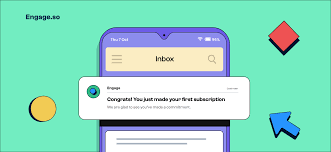
After signing up, they get an email asking them to confirm their subscription. This extra step cuts down on fake sign-ups and ensures higher quality leads. It also helps prevent accidental sign-ups by people who might later mark you as spam.
Managing Your Email List
A clean email list is a happy email list. Over time, email addresses can become inactive. People change their email providers or stop using certain addresses.
Sending to these bad addresses hurts your sender reputation.
Regularly clean your list. Remove people who haven’t opened your emails in a long time. Use re-engagement campaigns to try and win them back.
If they still don’t respond, it’s time to let them go. It’s better to have a smaller list of engaged subscribers than a huge list of inactive ones. This improves your deliverability rates.
List Cleaning Best Practices
Remove Bounces
Hard bounces are permanent errors. Remove them immediately.
Monitor Inactivity
Identify subscribers who haven’t opened emails in months.
Re-engagement Campaign
Send a special series to win back inactive users.
Unsubscribe Link
Make it easy for people to unsubscribe. This is required by law.
The “From” Name and Address
The name and address that appear in the “From” field are critical. They are often the first things a recipient sees.
Use a recognizable and consistent “From” name. It could be your name (like “Jane Doe” or “John Smith”) or your company name (“Acme Corp.”). Avoid generic names like “info” or “noreply.” These can look spammy.
Your “From” email address should also be professional and linked to your domain. For example, “jane.doe@yourcompany.com” is much better than “janedoe123@gmail.com” for business communication.
Consistency is Key
Email providers like to see consistency. If you suddenly send a huge volume of emails after sending very few for a long time, it can raise red flags. Filters might think you’re a spammer trying to send out a burst of unwanted messages.
Build up your sending volume gradually. If you’re new to email marketing, start with a small list and a small number of sends. As your sender reputation grows and your list expands, you can slowly increase your sending frequency and volume.
This steady approach builds trust over time.
Testing Your Emails
Before sending a big campaign, test your emails. Many email service providers offer tools for this. You can send a test email to yourself and colleagues.
Check how it looks on different devices and email clients (like Gmail, Outlook, Apple Mail).
You can also use services that test your email against various spam filters. These tools simulate how filters might see your email. They can give you a spam score and highlight potential issues.
This proactive step can save you from a lot of trouble later.
Email Testing: What to Check
Rendering
How does it look on desktop and mobile?
Links
Do all links work correctly?
Spam Score
Use tools to check for potential spam triggers.
Unsubscribe Link
Is it clearly visible and functional?
When Is It Okay to Send an Email?
The core principle is that your email should be welcomed. If someone actively signed up for your emails, they likely want them. If they are providing value and are relevant to the subscriber’s interests, they are more likely to be welcomed.
Think about the Federal Trade Commission’s CAN-SPAM Act in the U.S. It sets rules for commercial emails. It requires honest subject lines, identifies the message as an ad, and requires a way to opt out.
Following these rules is not just good practice; it’s the law.
What if My Emails Land in Spam Anyway?
Don’t panic if this happens occasionally. Even the best senders can have an email slip through. The key is to monitor the situation.
Check your spam reports if your email service provider offers them.
If you see a pattern, review the points we’ve discussed. Look closely at your recent campaigns. Did you change anything?
Did you use new keywords? Were there more links than usual? Making small adjustments and re-testing can often fix the problem.
Sometimes, it just takes a little time for your reputation to recover.
Addressing “People Also Ask” Questions
Lots of people wonder about specific aspects of avoiding the spam folder. Here are some common questions and answers.
Common Email Deliverability Questions
What is the single biggest factor in email deliverability?
User engagement is a huge factor. If people open, click, and reply to your emails, providers see them as valuable. Low engagement can lead to spam folders.
How often should I send emails?
Send emails consistently but don’t overdo it. Too frequent emails can annoy subscribers. Too infrequent can make them forget you.
Find a balance that works for your audience.
Can I buy an email list to send to?
Never buy an email list. These lists are often filled with invalid addresses. Sending to them will ruin your sender reputation and lead to your emails going to spam.
What are the CAN-SPAM Act requirements?
Key rules include not using false headers, clear identification of promotional messages, a valid physical address, and an easy opt-out mechanism.
How do I know if my emails are going to spam?
Monitor your email analytics. Look for low open rates, high bounce rates, or complaints. Some services offer spam testing tools.
What is a good unsubscribe rate?
A low unsubscribe rate is good. If many people are unsubscribing, it means your content might not be relevant or you are sending too often. Aim for less than 0.5%.
Final Thoughts on Inbox Placement
Keeping your emails out of the spam folder is an ongoing process. It requires attention to detail. It also needs respect for your subscribers.
Focus on providing value. Always get permission. Build trust through authentication and good list management.
Your goal is to be a welcome sender. When your subscribers look forward to your emails, they’ll stay out of the junk folder.