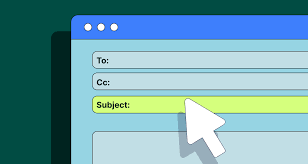
Clear email subject line examples help you get your message opened. They use simple words to say what the email is about. Good examples make people curious and encourage them to read more.
What Makes a Good Email Subject Line?
Think of your email subject line as a tiny billboard. It needs to catch someone’s eye quickly. It must tell them what’s inside without giving too much away.
The best ones spark curiosity or highlight a clear benefit. They are short, direct, and easy to understand at a glance.
In today’s crowded inboxes, standing out is key. A good subject line is more than just words. It’s about understanding the person receiving the email.
What are they looking for? What problems do they have? What will make them feel it’s worth their time to open your message?
The goal is to be relevant and appealing. Avoid anything that feels like spam or trickery. Honesty and clarity win over time.
This builds trust. And trust is what gets emails opened and read.
My Own Subject Line Stumbles
I remember a time early in my career when I was sending out a new project proposal. I spent days on that proposal. I thought the work itself was the most important part.
So, for the subject line, I wrote: “Project Proposal Details.” That was it. Boring, right? I sent it to a few important people.
Then, I waited. Nothing. Hours passed.
I started to feel a knot in my stomach. Was it too long? Too short?
Did they even see it? The silence was deafening. Later, I found out one of the recipients had just scrolled past it.
It looked like just another piece of company jargon. That day, I learned a huge lesson about the power of words in that small subject line space.
It was a real “aha!” moment. I realized that the best work could be ignored if the entryway wasn’t inviting. I started studying what worked.
I looked at emails that I opened. What made them different? I noticed they often hinted at a solution, a benefit, or a bit of intrigue.
It was like they were whispering, “Hey, this might be for you!” That simple shift in perspective changed how I approached every single email I sent.
Crafting Subject Lines for Work Emails
When you’re writing for work, clarity is usually king. Your colleagues and bosses need to know what the email is about quickly. This helps them manage their own busy schedules.
They can prioritize what needs their attention now and what can wait.
Work Email Subject Line Tips
Keep it brief. Aim for 50 characters or less if possible. Many email apps cut off longer subjects on phones.
Be specific. Instead of “Meeting,” try “Meeting: Q3 Budget Review.”
Add context. Include project names or client names.
Use action words. “Action Required,” “Please Review,” or “FYI.”
Include deadlines. If there’s a deadline, put it in the subject.
For example, if you’re requesting information, a good subject line might be: “Question about the Marketing Report.” If you need someone to review a document, try: “Review Needed: New Website Copy – Due Friday.” This tells them exactly what you need and by when.
If you’re following up on something, a clear subject helps jog their memory. Something like “Following Up: My Inquiry on Invoice #12345” is much better than a vague “Following Up.” It provides immediate context and makes it easy for them to recall the original conversation.
Even simple updates can benefit from good subject lines. “Weekly Team Update: Week of Oct 23” clearly states the email’s purpose and timeframe. This prevents confusion and helps organize your team’s communications.
Examples for Professional Communication
Here are some specific examples you can adapt:
- Meeting Requests:
- “Meeting Request: Discuss Project Alpha Launch
- “Coffee Chat: Ideas for
- “Quick Sync: &
- Information Requests:
- “Question Regarding
- “Seeking Data for
- “Information Needed: Client XYZ Status
- Action Items & Reviews:
- “Action Required: Sign Off on New Policy
- “Please Review: Draft Press Release
- “Approval Needed: Budget Adjustment
- Updates & FYI:
- “FYI: Update on Server Maintenance
- “Status Update: – Week 42
- “Important Announcement: New Office Hours
- Follow-Ups:
- “Following Up: My Application for
- “Reminder: Action Item from
- “Checking In: Discussion Recap
These examples aim for brevity and directness. They tell the recipient the core purpose of the email without any ambiguity. This respects their time and helps them process their inbox efficiently.
Subject Lines for Marketing Emails
Marketing emails are a different beast. Here, you’re not just informing; you’re trying to persuade. You want to entice someone to click and learn more about a product, service, or offer.
Marketing Email Subject Line Secrets
Create Urgency: “Last Chance!” or “Ends Tonight!”
Offer Value: “Free Shipping on All Orders” or “Your 10% Discount Inside”
Spark Curiosity: “Did You See This?” or “A Surprise Just For You”
Personalize: ” , Your Weekly Picks Are Here”
Ask a Question: “Are You Making This Mistake?”
The key here is often the hook. What will make someone pause and think, “Hmm, I need to see that”? It could be a discount, a limited-time offer, or a sneak peek at something new.
Personalization is also incredibly powerful. Using the recipient’s name can make the email feel much more direct and relevant.
Many marketers also use numbers and specific details. Instead of “Tips for Better Sleep,” try “5 Simple Tips to Sleep Better Tonight.” Numbers make the content seem more digestible and concrete. People like to know what they are getting into.
Sometimes, a touch of humor or playfulness can work wonders, depending on your brand. But always test your subject lines! What works for one audience might not work for another.
A/B testing is your best friend in marketing.
Examples for Sales and Promotions
Here are some marketing-focused examples:
- Sales & Discounts:
- “FLASH SALE: 50% Off Everything!
- “Your Exclusive 20% Discount Code Inside!
- “Don’t Miss Our Biggest Sale of the Year!
- New Product Launches:
- “Introducing the All-New !
- “It’s Here! Meet the You’ll Love
- “Be the First to Get the New
- Content & Resources:
- “Your Free Guide to is Ready!
- “New Blog Post: How to
- “Webinar Alert: Master This Thursday
- Personalized Offers:
- ” , We Missed You! Here’s 15% Off
- “Happy Birthday, ! Enjoy Your Gift
- “Based on Your Interest: Deals
- Curiosity & Intrigue:
- “Is This the Secret to ?
- “You Won’t Believe What We Found!
- “A Special Surprise Just For You.
These examples try to tap into desires like saving money, getting something new, or learning something valuable. They aim to create a sense of excitement or opportunity.
Subject Lines for Personal Emails
For personal emails, the goal is often connection. You want to share news, ask a question, or just check in with someone you care about.
Personal Email Subject Line Ideas
Keep it casual. Use language you’d use when talking.
Be warm and friendly. Show you’re thinking of them.
Mention shared experiences. “Remember that time.?”
State the reason for writing. “Catching Up” or “Thinking of You”
Use emojis (sparingly). A happy face can add warmth.
With friends and family, you can be much more informal. A simple “Hey!” or “Checking In” can work. If you have a specific piece of news, like an engagement or a new job, you can share that directly: “Big News!” or “Guess What Happened?”
If you’re asking for a favor or advice, be clear but gentle. “Quick question for you?” or “Need your advice on something.” It sets the tone that you’re not demanding, but seeking their input.
Sometimes, just a simple “Thinking of you” can brighten someone’s day. It’s a small gesture that shows you care, and it’s a great reason to open an email.
Examples for Friends and Family
Here are some personal touches:
- Catching Up:
- “How are things?
- “Long time no talk!
- “Just wanted to say hi!
- Sharing News:
- “Some exciting news!
- “Guess what?!
- “Big update from my end
- Asking Questions:
- “Random question for you.
- “Need your opinion on something!
- “Thinking about – What do you think?
- Event Invitations:
- “Party at my place!
- “You’re invited to
- “Come celebrate with us!
- Funny or Casual:
- “LOL, thought you’d like this.
- “This made me think of you!
- “Totally random email!
These are meant to be warm and inviting. They aim to encourage a friendly response and maintain personal connections.
Subject Lines When You Need an Answer
When you absolutely need a reply, your subject line needs to convey that urgency without sounding demanding or aggressive.
Getting a Reply: Subject Line Tactics
Be Clear About the Ask: “Need Your Input By EOD” or “Action Needed: Decision Required”
State the Consequence (Gently): “Urgent: Project Delayed Without Your Feedback” or “Response Needed to Proceed With “
Specify a Deadline: “Reply Needed by 3 PM Today” or “Final Decision Needed by Tomorrow Morning”
Use Keywords: “Urgent,” “Action Required,” “Response Needed”
Offer Help: “Need Your Answer on X, Happy to Discuss if Needed”
For work, you might use “Action Required: Your Approval on Contract.” If it’s a critical deadline, something like “Urgent: Decision Needed by Noon Today for ” is appropriate. The key is to be clear about what you need and when you need it.
Sometimes, you can phrase it as a collaborative effort. “Your Input Needed for – Reply by ” sounds less like a demand and more like teamwork. It makes the recipient feel like their contribution is valued.
If you’re chasing a response that’s already overdue, a polite but firm reminder works best. “Gentle Reminder: Your Input Needed for ” or “Checking In: Response Requested for Email.”
Examples for Urgency and Replies
Here are some examples tailored for getting a response:
- Work-Related Urgency:
- “URGENT: Action Required –
- “Response Needed by EOD Today:
- “Your Input Required for – Deadline Approaching
- Information/Feedback Requests:
- “Quick Question – Need Your Answer by
- “Seeking Your Feedback on – Please Reply
- “Decision Needed: – Your Opinion Matters
- Follow-Up Reminders:
- “Gentle Reminder: Following Up on My Email from
- “Checking In: Your Thoughts on ?
- “Re: – Still Need Your Response
- Personal Urgency (use sparingly):
- “Need your help with something urgent!
- “Can you call me ASAP?
- “Important – Please Read Immediately
Remember to use these with discretion. Overusing “urgent” can lead to people tuning out. Reserve it for situations where it truly applies.
What to Avoid in Subject Lines
There are certain things that can instantly turn someone off. These are traps many people fall into without realizing it.
Subject Line Don’ts
ALL CAPS: It looks like shouting and is hard to read.
Excessive Punctuation: “!!!???” looks unprofessional and spammy.
Misleading Information: Don’t promise something the email doesn’t deliver.
Generic Phrases: “Hello,” “Update,” “Information” are too vague.
Spam Trigger Words: Words like “Free,” “Win,” “Guarantee,” “Click Here” can land you in spam folders.
Using all caps is like yelling at someone. It’s aggressive and unprofessional. Similarly, too many exclamation marks can seem desperate or insincere.
Save them for truly exciting personal news.
Never try to trick someone into opening your email. If the subject line says “Your Order Has Shipped” and the email is actually a sales pitch, you’ll lose trust immediately. Honesty builds relationships.
Vague subject lines are the silent killers of open rates. If you see “Meeting,” you might wonder, “Which meeting?” or “When?” Specificity is always better. This is a rule that applies across almost all types of emails.
Common Mistakes and How to Fix Them
One common mistake is making the subject line too long. Mobile devices show fewer characters. So, your crucial words might get cut off.
Always try to put the most important information first.
Another pitfall is being too casual in a professional setting. While “Hey!” might work for a friend, it’s not ideal for a client proposal. Gauge your audience and adjust your tone accordingly.
What’s appropriate for an internal team might not be for an external partner.
Finally, relying on the same phrasing over and over can make your emails predictable. Mix it up! Use different hooks and styles to keep your audience engaged.
What worked last week might not work next week.
When Is a Subject Line Not Enough?
Sometimes, even the best subject line can’t save an email with poor content. If the email itself is rambling, unclear, or doesn’t offer value, people will still delete it. The subject line gets the door open; the content makes them stay.
Also, consider your audience’s preferences. Some people prefer very direct subject lines, while others respond well to more creative or intriguing ones. If you have a long-standing relationship with someone, you might have a better sense of what they like.
For important work communications, it’s often wise to follow up a clear subject line with a brief, well-structured email body. Make it easy for the reader to scan and find the key information. Use bullet points and short paragraphs.
This shows you respect their time.
Putting It All Together: Your Subject Line Checklist
Before you hit send, ask yourself these questions:
- Does my subject line clearly state the email’s purpose?
- Is it short enough to be fully visible on mobile?
- Does it create interest or convey a benefit?
- Is it appropriate for my audience?
- Does it avoid spam triggers or unprofessional elements?
- If a reply is needed, is the deadline or request clear?
Going through this quick checklist can help you catch common errors and significantly improve your open rates. It’s a small step that makes a big difference.
Frequently Asked Questions
What is the most important part of an email subject line?
Clarity is often the most important part. It tells the recipient exactly what the email is about so they can decide if it’s relevant to them. Curiosity can also be very effective, but it should still relate to the email’s content.
How long should an email subject line be?
Aim for around 40-50 characters. This ensures most of the subject line will be visible on mobile devices, where many people read emails. Shorter is generally better, but not at the expense of clarity.
Should I use emojis in my email subject lines?
It depends on your audience and the context. For personal emails, yes, they can add warmth. For professional or marketing emails, use them sparingly and only if they fit your brand and audience.
Some email clients might not display them correctly.
What are “spam trigger words” for subject lines?
These are words that email providers often associate with spam. Examples include “free,” “buy now,” “guarantee,” “winner,” “cash,” “make money fast,” and excessive use of exclamation points or dollar signs. It’s best to avoid them.
How can I make my subject lines stand out in a crowded inbox?
Be specific, offer a clear benefit, create a sense of urgency or curiosity, personalize the message (e.g., with a name), and use numbers or questions. Testing different approaches is key to finding what works best for your audience.
When should I use “URGENT” in a subject line?
Only use “URGENT” for emails that truly require immediate attention and action. Overusing it will make recipients ignore it when it’s actually needed. For work emails, ensure the urgency is justified and often paired with a specific deadline.
Conclusion
Crafting effective email subject lines is a skill that gets better with practice. It’s about blending clarity with creativity to meet your reader’s needs. Whether for work, marketing, or staying in touch personally, a well-chosen subject line is your key to getting that email opened.
Don’t underestimate its power!